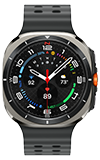

In this tutorial, you will learn how to:
• View available memory
• Free up memory
• Remove unused apps
View available memory
1. Swipe up from the bottom of the clock screen to access the Apps tray, then scroll to and select the  Settings app.
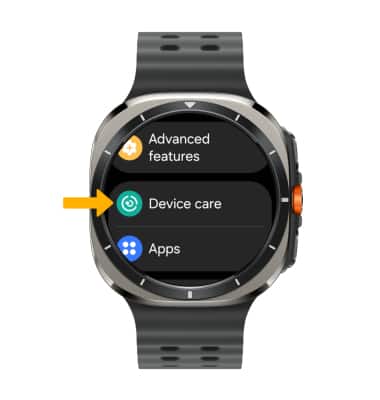
2. Scroll to and select Device care.
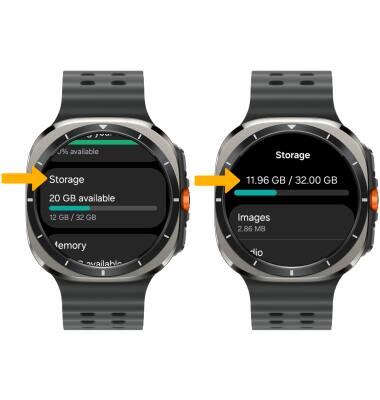
3. Scroll to and select Storage. Device storage will be displayed.
Free up memory
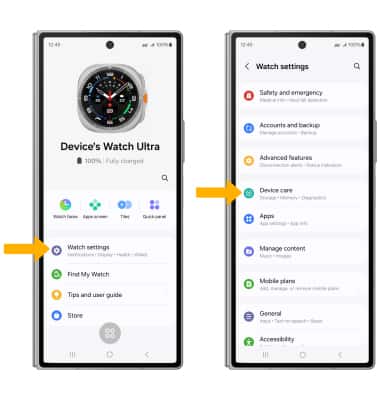
1. You can clean up unnecessary items from your connected device. From the connected device, navigate to and select the  Galaxy Wearable app. Select Watch settings, then scroll to and select Device care.
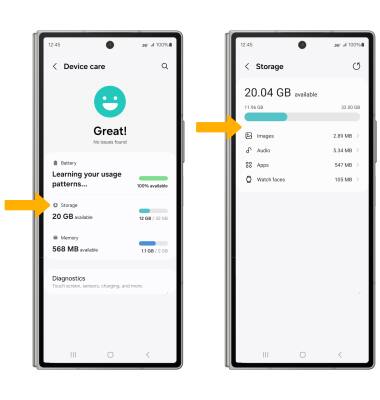
2. Select Storage, then select the desired field.
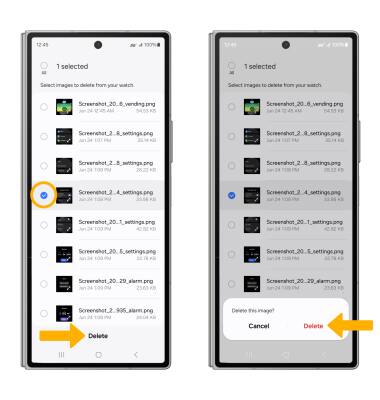
3. Navigate to and select the desired media, then select Delete. Select Delete again to confirm.
Remove unused apps
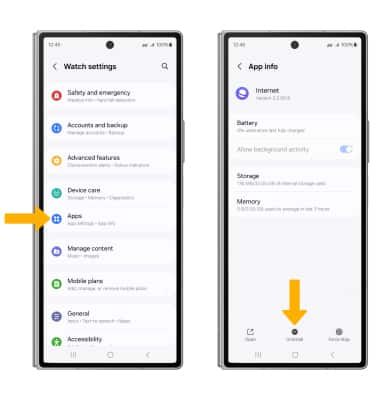
From the Watch settings screen, select Apps > desired app > Uninstall.
Note: You will be prompted to select Uninstall to confirm. Some apps cannot be uninstalled.