 To make or receive calls from your wearable, you must update your device to the most current
 In this tutorial, you will learn how to:
• In-call options
• Use device while on an active call
• Decline a call with a text message
• Use device while on an active call
• Decline a call with a text message
In-call options
While on an active call, the following options will be available:
Note: To learn about calling or using your device in other countries, visit the AT&T International website.
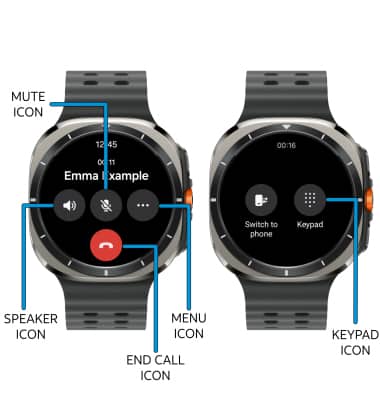
• SHOW/HIDE KEYPAD: Select the Menu icon then select the Keypad icon.
• ENABLE/DISABLE SPEAKERPHONE: Select the Speaker icon.
• MUTE/UNMUTE: Select the Mute icon.
• END CALL: Select the End call icon.
Use device while on an active call
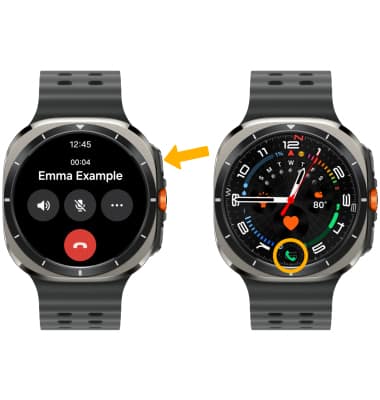
From an active call, press the Home button to access the clock screen. To return to an active call, select the Phone icon on the clock screen.
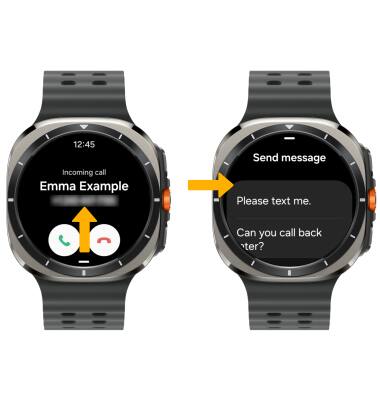
Decline a call with a text message
When receiving a call, swipe up from the bottom of the screen to decline a phone call and send a text message. Select the desired text message to send.