
In this tutorial, you will learn how to:
• View app storage
• Clear app data
• Remove unused apps
View app storage
1. Press the Watch Crown to access the Apps tray, then scroll to and select the  Settings app.
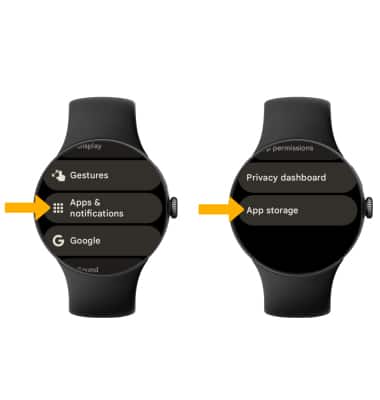
2. Scroll to and select Apps & notifications, then scroll to and select App storage.
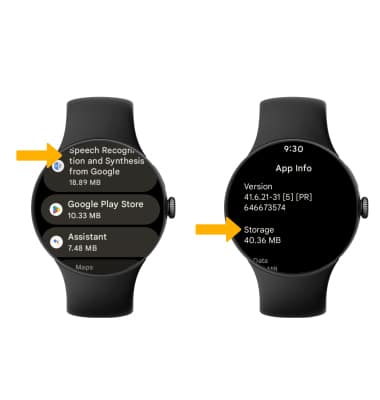
3. Scroll to and select the desired app. The Storage will be displayed.
Clear app data
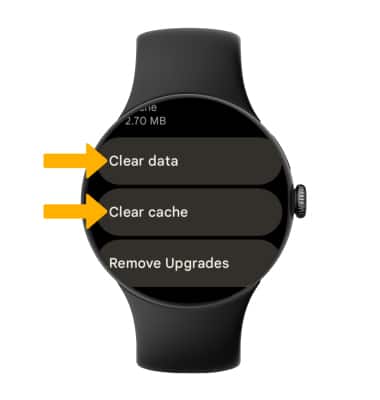
From the desired app's App storage screen, scroll to and select Clear data or Clear cache.
Remove unused apps
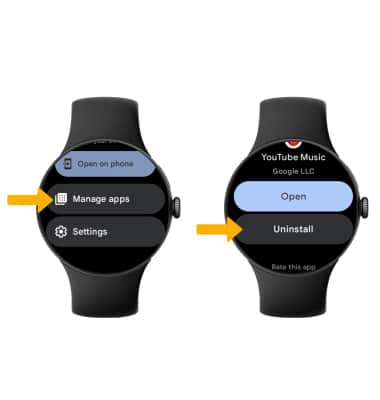
1. Press the Watch Crown to access the Apps tray, then scroll to and select the  Play Store app.
2. Scroll to and select Manage Apps > navigate to and select the desire app > scroll to and select Uninstall.