Back up your device
1. When your watch is connected to your phone, Google automatically backs up your watch data and files to your paired device periodically. You can restore your device to a previously saved backup after resetting your device. To save an additional backup to your Google account, from the paired device, navigate to and select the  Google Pixel Watch app.
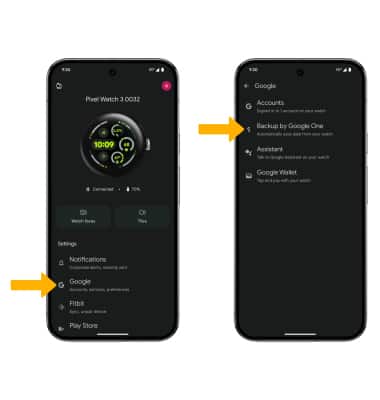
Google Pixel Watch app. 2. Select Google, then select Backup by Google One.
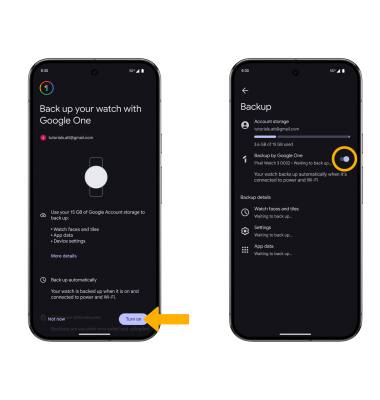
3. Select Turn on, then select the Backup by Google One switch.