In this tutorial, you will learn how to:
• Make an outbound call from your watch
• Receive an inbound call on your watch
• Make a call from the AT&T amiGO™ app
Make an outbound call from your watch
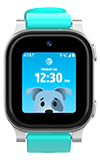
1. From the Watch screen, swipe left then select the  Phone app.
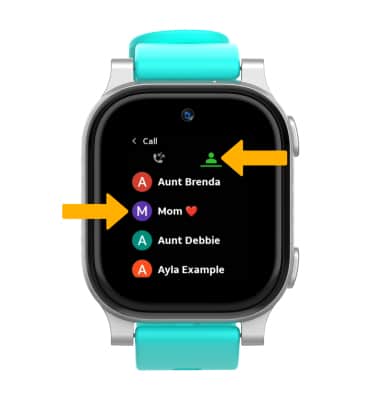
2. Select the Contacts tab, then select the desired contact.
Note: Calls can only be made and received from Contacts added through the AT&T amiGO™ app.
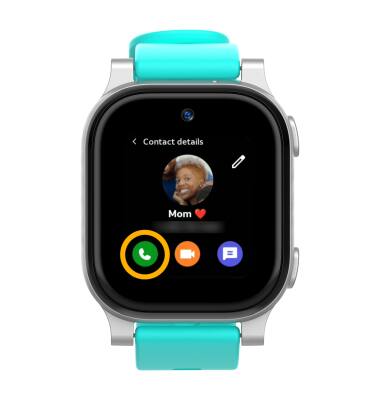
3. Select the Phone icon.
Note: To end a call, select the  End call icon.
Receive an inbound call on your watch
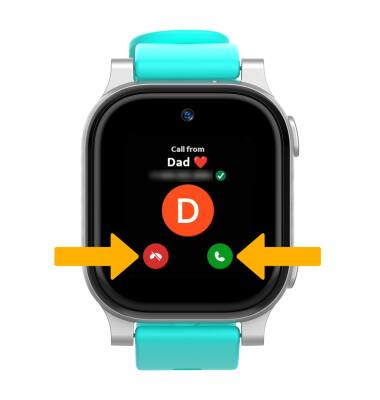
When receiving an incoming call, select Answer icon to pick up the call, or select Decline icon to decline the call.
Make a call from the AT&T amiGO™ app
1. From your connected smart phone, navigate to and select the  AT&T amiGO™ app.
2. Select the desired device.
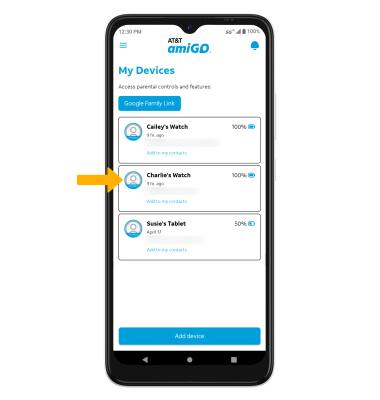
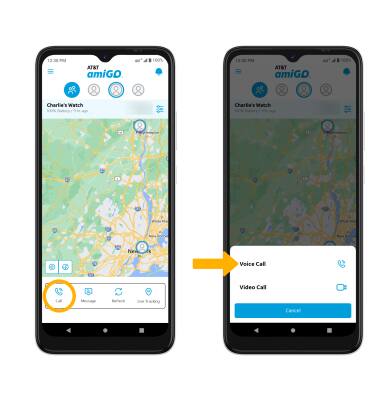
3. Select Call, then select Voice Call.