In this tutorial, you will learn how to:
• Access the full keyboard
• Capitalize text
• Access symbols
• Access emojis
Access the full keyboard
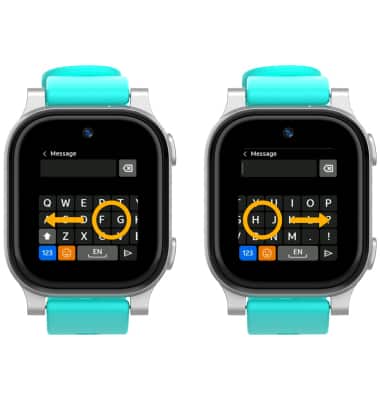
When the keyboard is visible, select and drag the keyboard to the left or right to access the portion of the keyboard that is not displayed on screen.
Capitalize text
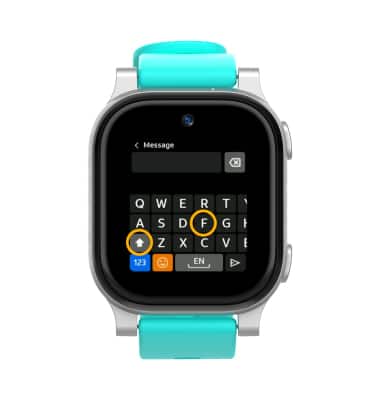
When the keyboard is visible, select the Shift key then select the desired letter.
Note: To use Caps Lock, quickly select the Shift key twice.
Access numbers and symbols
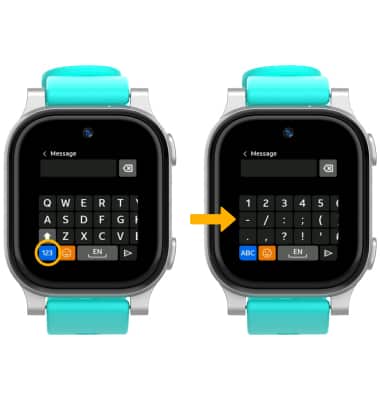
When the keyboard is visible, select the 123 key then select the desired number or symbol.
Note: From the numbers and symbols keyboard, select the ABC key to return to the standard letter keyboard.
Access emojis
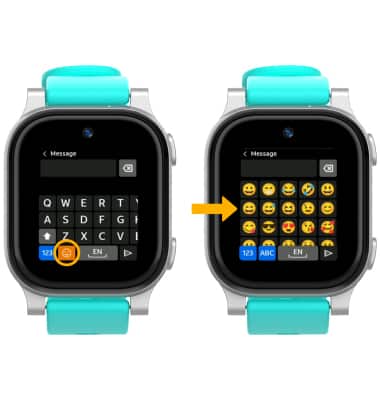
When the keyboard is visible, select the Emoji icon.