Enable schedule
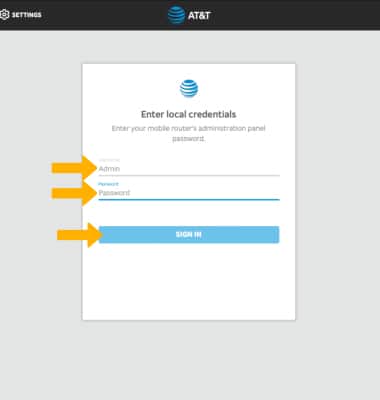
1. From your device's web browser, go to http://attwifimanager or type 192.168.1.1 into the search bar. Enter your Username and Password, then select SIGN IN.
Note: Ensure that your device is connected to the Netgear Nighthawk's Wi-Fi network. For more information, please see the Connect Devices to Wi-Fi or Connect PC or Mac to Wi-Fi tutorials.
2. Select SETTINGS at the top of the page.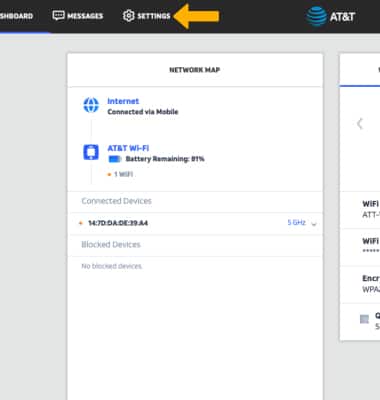
3. Select Security, then select Schedule.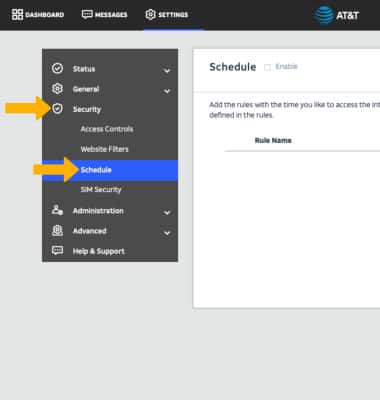
4. Select ADD under SCHEDULE.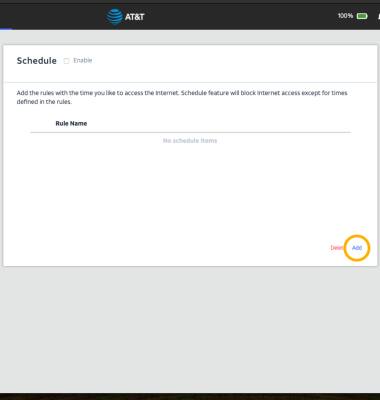
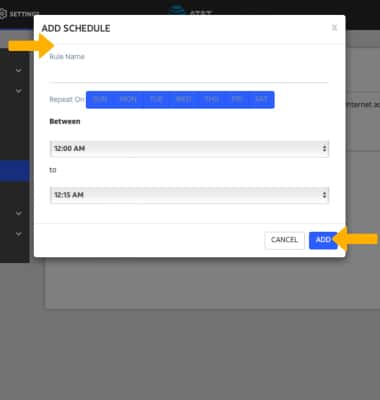
5. Edit the schedule as desired, then select ADD.
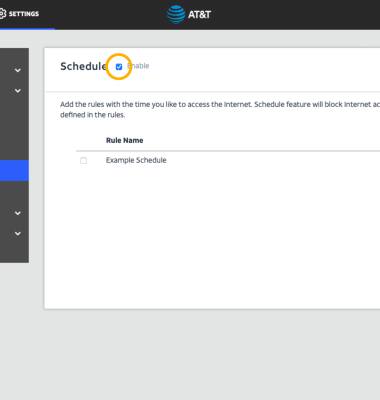
6. Select the Enable checkbox
Note: Select Apply to save changes.
Edit a schedule
1. Select the Edit icon next to the desired schedule.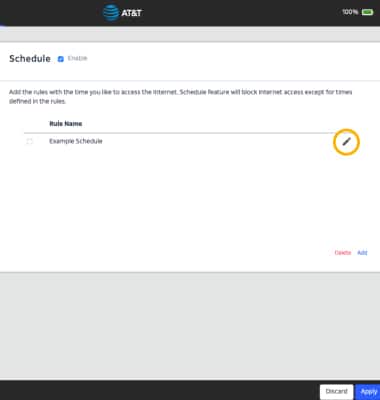
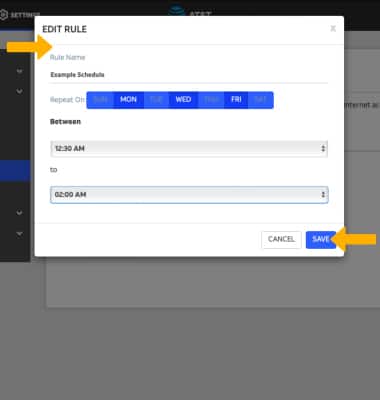
2. Edit the schedule as desired, then select SAVE.
Delete a schedule
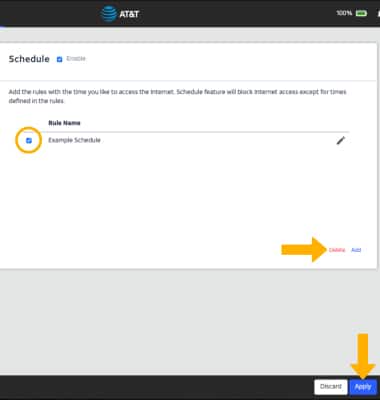
Select the checkbox next to the desired schedule, then select DELETE. Select Apply when finished.