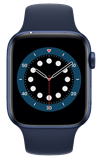
 Wearing your Apple Watch to sleep each night provides a consistent way to measure key overnight vitals such as your respiratory rate, heart rate, wrist temperature, blood oxygen, and sleep duration. It will take 7 sleep sessions to establish typical ranges for your overnight vitals. Your typical range will become more precise as your continue to wear your watch to sleep.
In this tutorial, you will learn how to:
Set up Sleep
1. You must first set up Sleep to access vitals. From the clock screen, press the Digital Crown/Home button then select the  Sleep app.
2. Select the Sleep schedule icon.

3. Scroll to and select Sleep Goal. Edit Sleep Goal settings as desired, then select the back arrow to save your changes.
Note: You can edit your sleep schedule settings at any time from the Sleep app.

Access Vitals
1. From the clock screen, press the Digital Crown/Home button then select the  Vitals app.
2. After 7 sleep sessions, vitals will be displayed. To view your vitals such as heart rate, respiratory rate, wrist temperature, blood oxygen, and sleep duration, select the desired icon.
Note: Vitals establishes a typical range for each of your health metrics collected as you sleep so you’ll always know at a glance how your metrics are stacking up. If there are outliers, you will get a notification and outliers will appear at the bottom of the watch screen. To get more information any outliers, select the  info icon.
