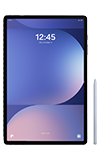
In this tutorial, you will learn how to:
• Enable or disable Edge Screen
• Access and use the Edge Screen
• Access and edit Edge panel settings
Enable or disable Edge Screen
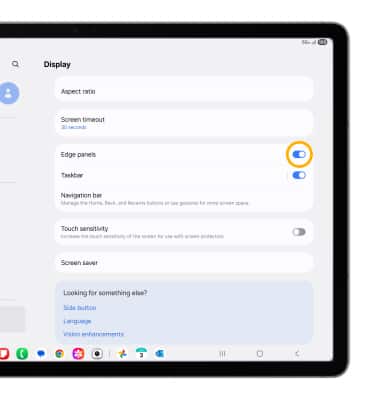
Swipe down from the upper right corner of the screen, then select the  Settings icon. Scroll to and select Display, then scroll to and select the Edge panels switch.
Access and use the Edge Screen
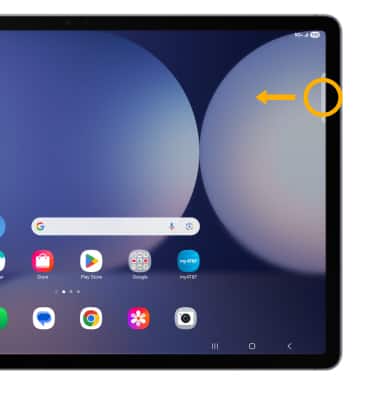
1. Select and drag the Edge panel handle to the left.
2. Select the desired option.
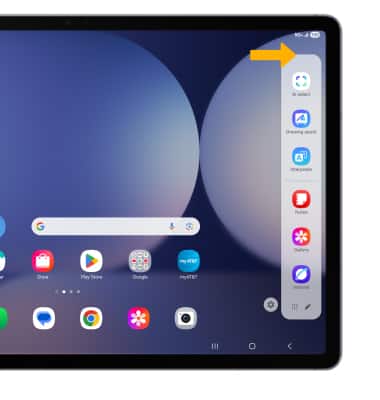
2. Select the desired option.
Access and edit Edge panel settings
1. From the Edge panel, select the Settings icon.
Settings icon.Note: Alternately, from the Display screen, scroll to and select Edge panels > select Panels > adjust settings as desired.
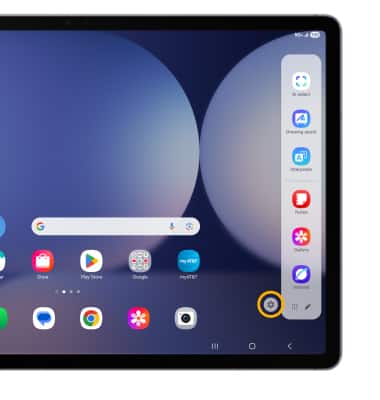
2. Adjust settings as desired:
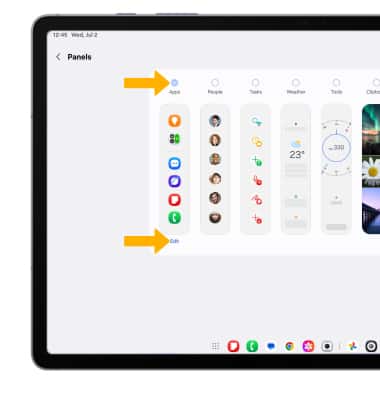
2. Adjust settings as desired:
• ADD/REMOVE A PANEL: Select the circle above the desired panel.
• EDIT APPEARANCE: Select Edit below the desired panel.
• EDIT APPEARANCE: Select Edit below the desired panel.