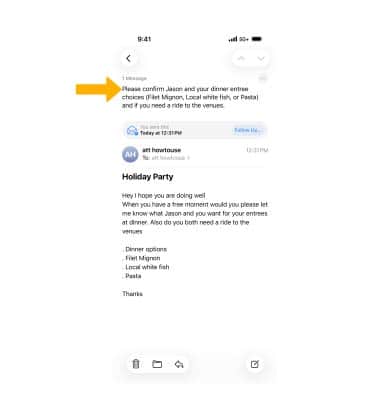

In this tutorial, you will learn how to:
• Summarize transcripts from calls or notes
• Summarize emails
Summarize transcripts from calls or notes
RECORD CALLS: Calls can be recorded and automatically transcribed from the  Phone app. Select the Record call icon during an active call. Recordings will be saved in the Notes app.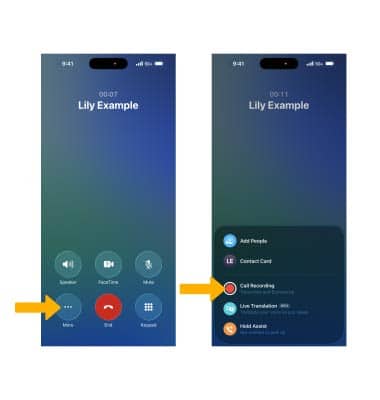
SUMMARIZE CALL RECORDINGS: From the  Notes app, select the Call Recordings folder, then select the desired recording.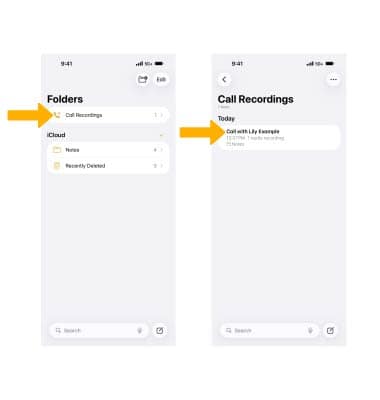
Select the recording, then select View Summary.
The summary will be displayed.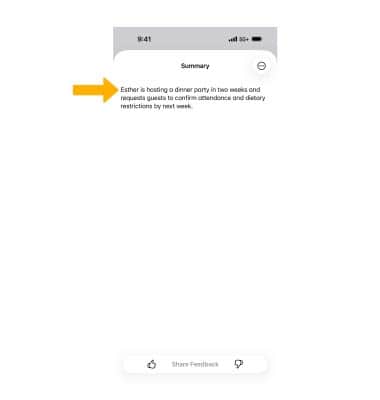
RECORD VOICE NOTES: From the Notes app, select the Create Note icon. Select the Attachment icon, then select Record Audio. Follow the prompts to record audio as desired. Recordings will automatically be saved in the Notes app.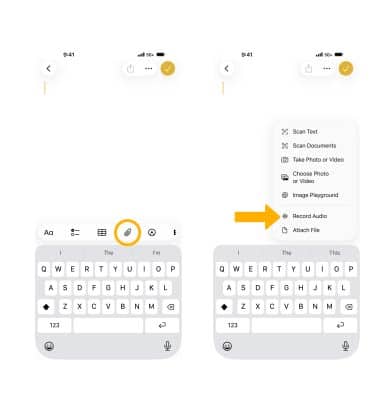
SUMMARIZE VOICE NOTES: From the Notes app, navigate to and select the desired voice note.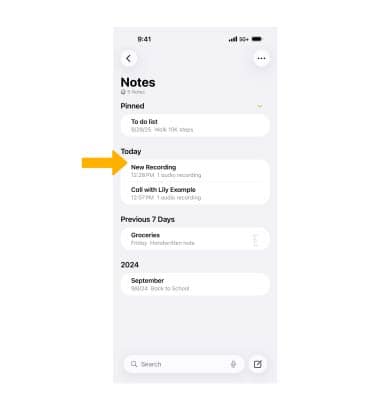
Select the desired recording, then select View Summary.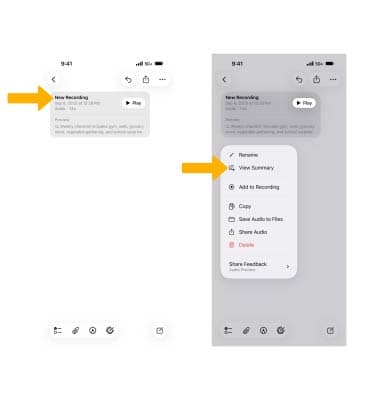
The summary will be displayed.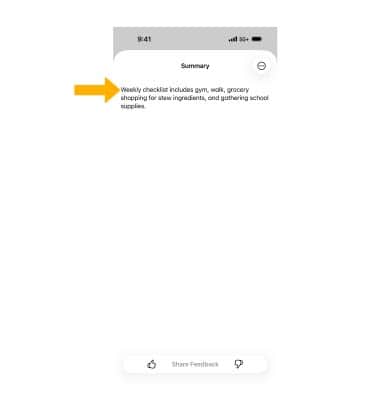
Summarize emails
1. From the  Mail app, navigate to and select the desired email.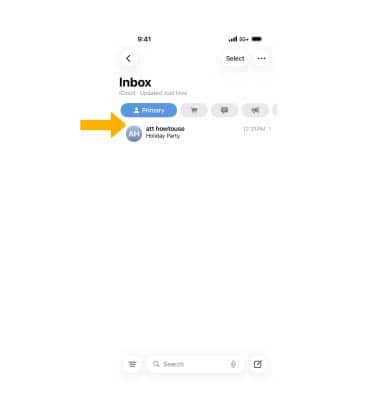
2. For longer emails, Summarize will automatically appear at the top of the screen. If Summarize does not appear at the top of the screen, swipe down then select Summarize.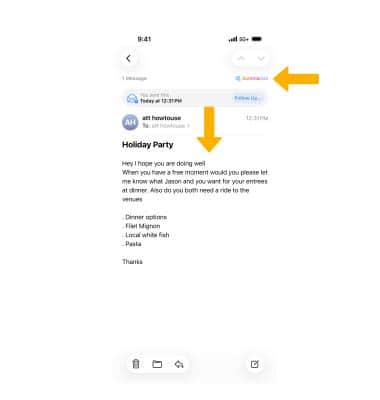
3. The summary will be displayed.