In this tutorial, you will learn how to:
• Charge other devices using the hotspot
• Access Power Bank settings
Charge other devices using the hotspot
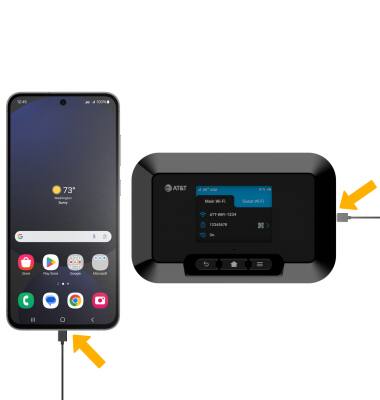
Insert the USB-C end of the USB-C cable into the USB-C port at the base of the device. Insert the USB end of the USB-C cable in the USB port on the desired device.
Access Power Bank settings
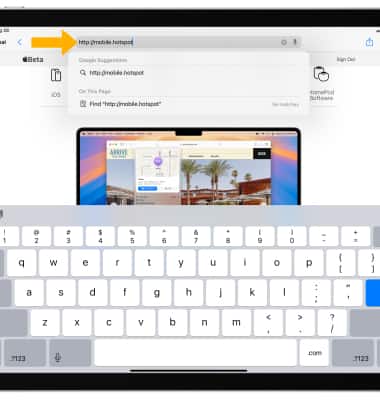
1. From your device's web browser, go to http://mobile.hotspot.
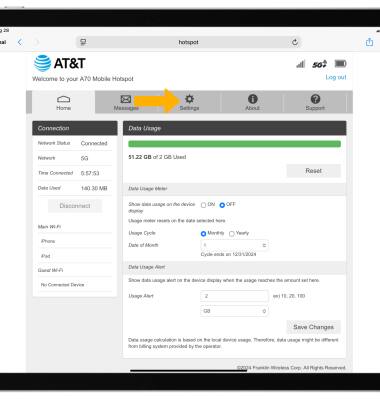
2. Select Settings.
Note: You may need to enter the Mobile Hotspot password, if you haven’t logged into the Web admin page before, the default password will be ‘admin’. You may be prompted to change the admin password.
3. Select Device, then select Preferences.
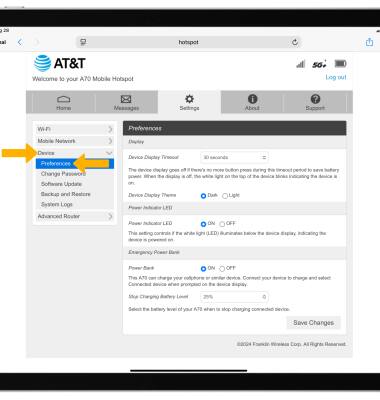
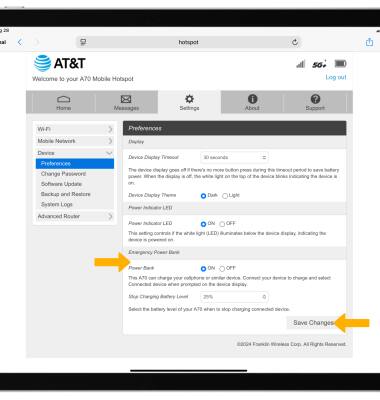
4. Edit the Emergency Power Bank settings as desired, then select Save Changes.