In this tutorial, you will learn how to:
• Access device information on management website
• Access device information on device
Access device information on management website
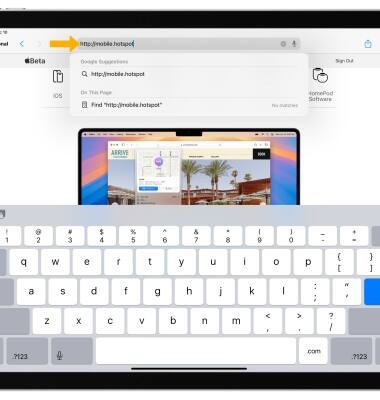
1. From your device's web browser, go to http://mobile.hotspot.
Note: You may need to enter the Mobile Hotspot password. If you haven’t logged into the Web admin page before, the default password will be ‘admin’. You may be prompted to change the admin password. Ensure that your device is connected to the Franklin A70's Wi-Fi network. For more information, please see the Connect Devices to Wi-Fi or Connect PC or Mac to Wi-Fi tutorials.
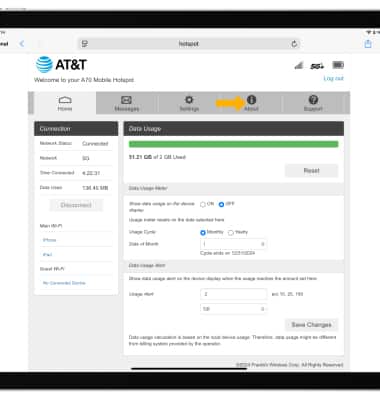
2. Select About at the top of the page.
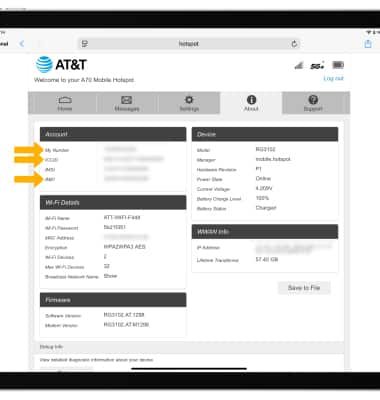
3. Device phone number, IMEI, and ICCID will be displayed.
Access device information on device
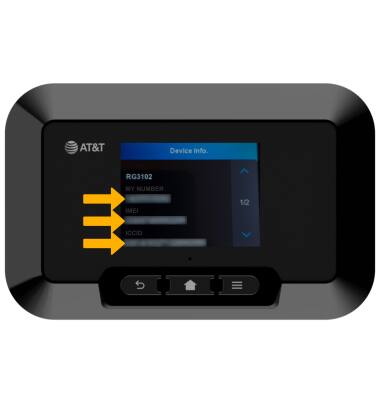
1. Press the Menu button, then select About.
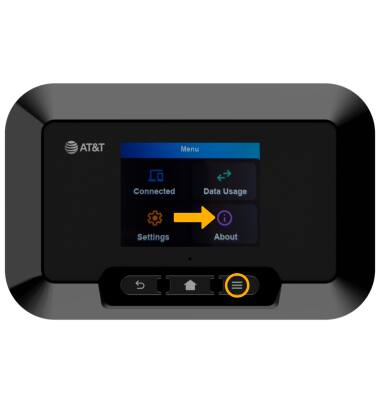
2. Select Device info.
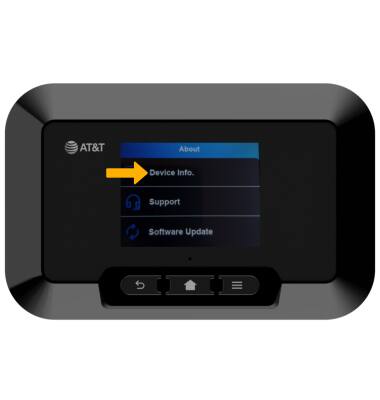
3. The device's phone number, IMEI, and ICCID will be displayed.