In this tutorial, you will learn how to:
• Check network status
• Unblock devices
• Change Wi-Fi band
Check network status
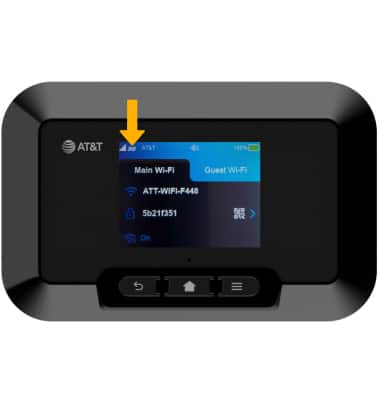
The signal strength is displayed on the device home screen. When connected to 5G, the 5G icon will be displayed.
Note: Wi-Fi network will stop broadcasting after 15 minutes of inactivity. Press the Power button to start broadcasting again.
Unblock devices
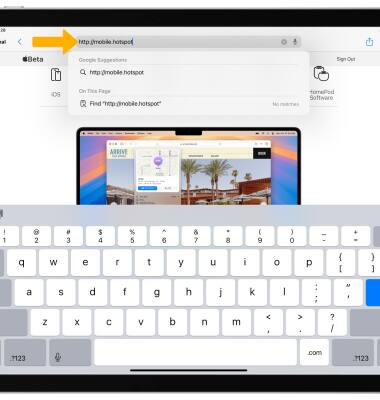
1. From your device's web browser, go to http://mobile.hotspot.
Note: You may need to enter the Mobile Hotspot password. If you haven’t logged into the Web admin page before, the default password will be ‘admin’. You may be prompted to change the admin password. Ensure that your device is connected to the Franklin A70's Wi-Fi network. For more information, please see the Connect Devices to Wi-Fi or Connect PC or Mac to Wi-Fi tutorials.
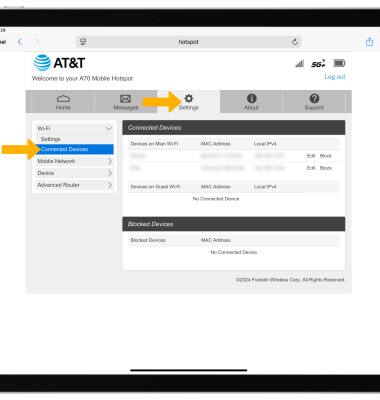
2. Select Settings at the top of the page, then select Connected Devices.
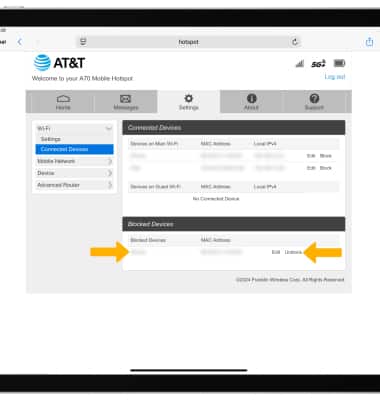
3. Blocked devices will be displayed under Blocked Devices. To unblock a device, select Unblock.
Change Wi-Fi band
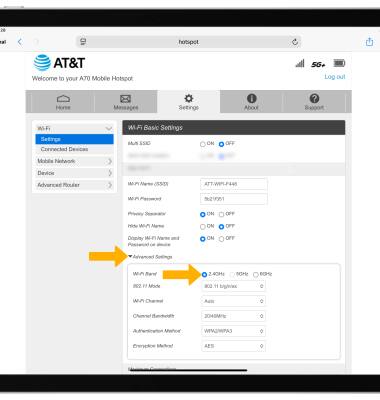
1. From the management website, select Settings at the top of the screen.
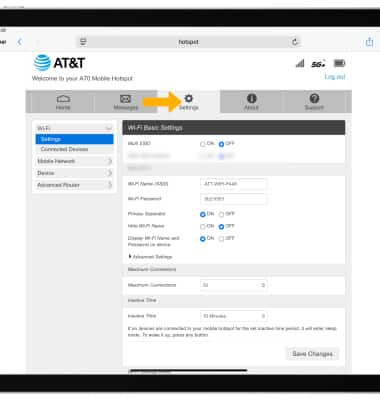
2. Select Advanced Settings, then select the desired Wi-Fi Band.
Note: Your device will take a moment to reset and change to the new Wi-Fi band.