
In this tutorial, you will learn how to:
• Set the date and time
• Change the time zone
• Change the time zone
• Set an alarm
• Turn an alarm on or off
• Delete an alarm
• Set a sleep schedule
• Set a sleep schedule
Set the date and time
1. From the home screen, swipe down the from Notification bar with two fingers, then select the  Settings icon.
2. Scroll to and select System, then select Date & time.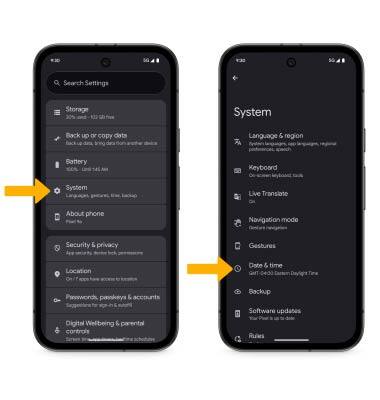
3. Select the Automatic date and time switch to disable. 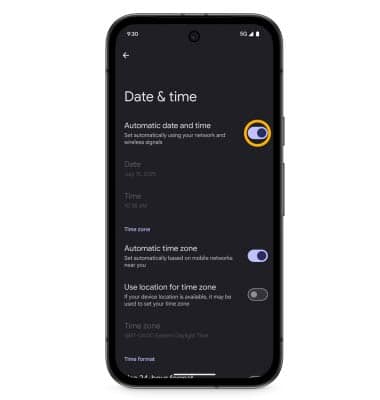
4. To change the date or time, select the desired option. Edit as desired, then select OK.
Note: For this tutorial, Date was selected.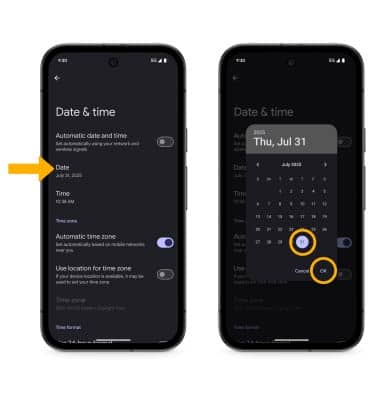
Change the time zone
From the Date & time screen, select the Set automatically switch to disable. Select Time zone > Time zone > desired option.
Set an alarm
1. From the home screen, swipe up from the center of the screen to access the Apps tray. Select the  Clock app.
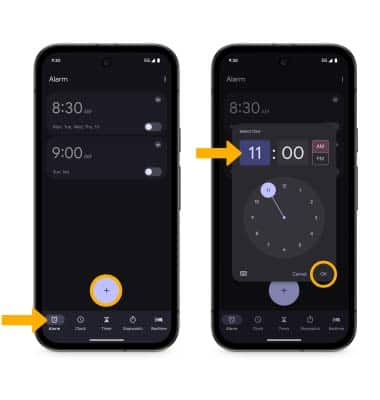
Clock app.2. Select the Alarm tab, then select the Add icon. Set the desired time, then select OK.
Turn an alarm on or off
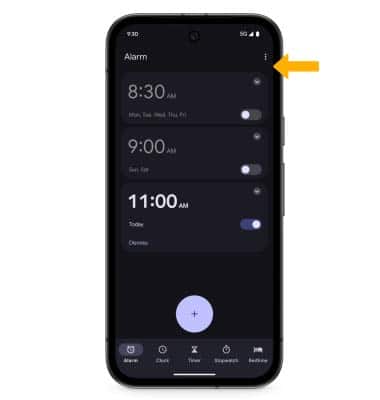
Select the switch next to the desired alarm to turn on or off.
Delete an alarm
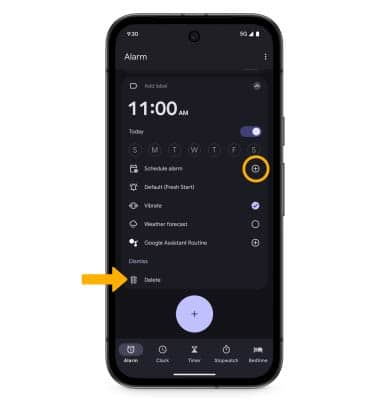
Select the drop-down icon next to the desired alarm, then select Delete.
Set a sleep schedule
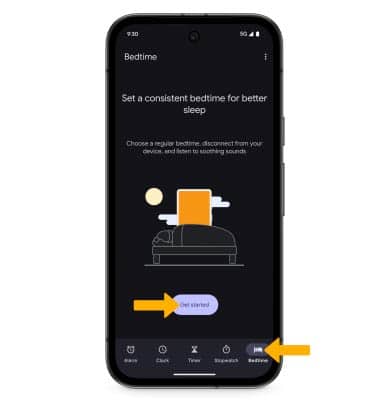
1. Select the Bedtime tab, then select Get started.
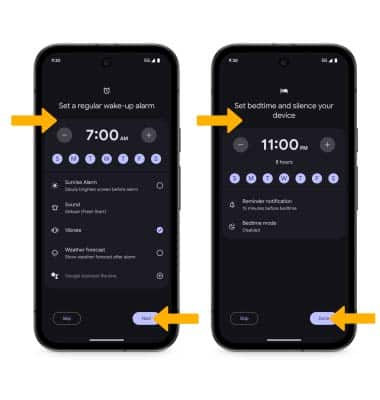
2. Adjust wake up settings as desired, then select Next. Adjust bedtime settings as desired, then select Done.
2. Adjust wake up settings as desired, then select Next. Adjust bedtime settings as desired, then select Done.