
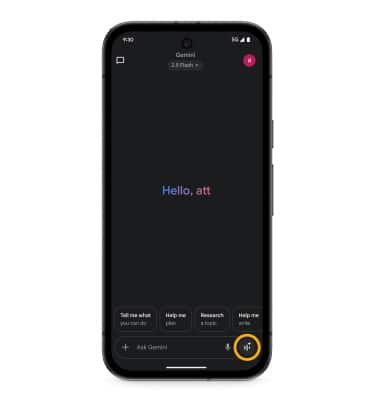
1. Swipe up from the home screen to access the apps tray, then navigate to and select the  Gemini app.
Note: Alternately, press and hold the Power/Lock button to launch Google Gemini.
2. Select the Live icon.
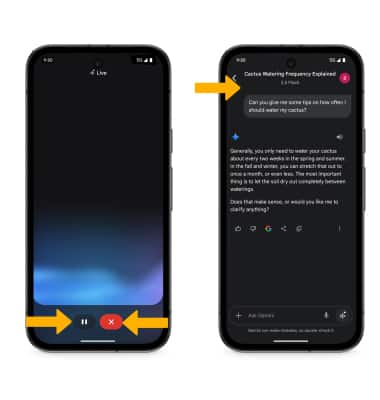
3. Begin speaking to start the conversation. With Gemini Live, you can have a natural, free-flowing conversation with Gemini in up to 2 languages, interrupt when you want to add more details or change the topic of the conversation, brainstorm ideas, plan an event and more. Select Hold to pause Gemini Live. When finished, select End. When you are done using Gemini Live, you will see a transcript of your conversation.