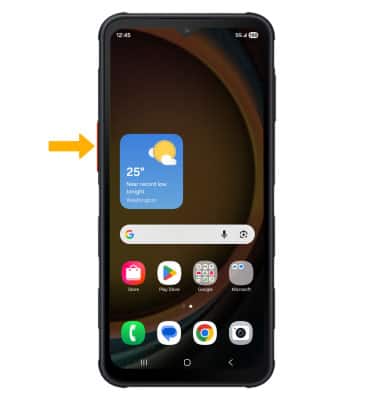
In this tutorial, you will learn how to:
• Access and customize Programmable button
• Use Programmable button
• Use Programmable button
Access and customize Programmable button
1. From the home screen, swipe down from the upper right corner of the screen then select the  Settings icon.
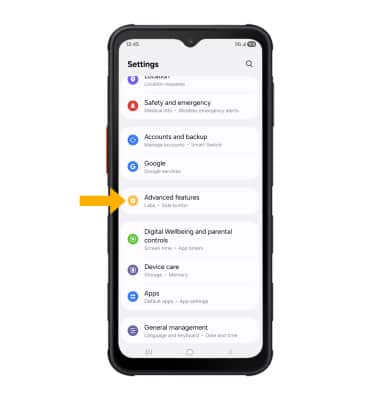
2. Scroll to and select Advanced features.
Settings icon.2. Scroll to and select Advanced features.
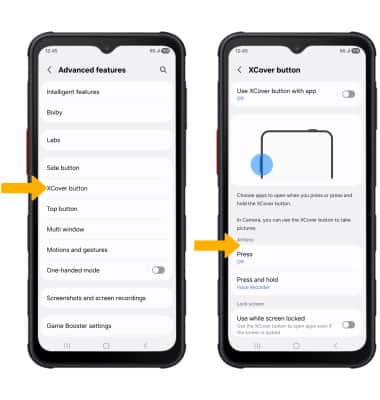
3. Select XCover button, then select the desired option under Actions.
Note: For this tutorial, Press was chosen. If the AT&T EPTT app is downloaded on your device, it will be automatically assigned to the programmable button. To turn off AT&T EPTT and assign a different app, select the Use XCover button with app switch.
4. Select the switch to turn on, then select the desired app to assign to the programmable button.

Use Programmable button
To use, from any screen, press the XCover button to launch an app.