In this tutorial, you will learn how to:
• Access and customize AI Key
• Use AI Key
• Use AI Key
Access and customize AI Key
1. From the home screen, swipe down from the Notification bar with two fingers then select the  Settings icon.
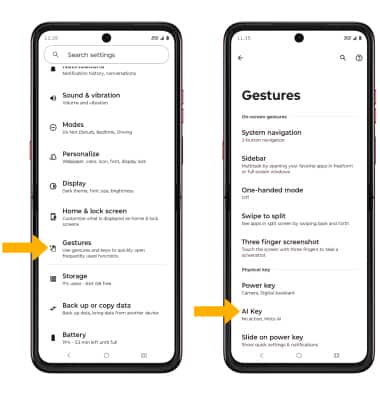
2. Scroll to and select Gestures, then select AI Key.
Settings icon.2. Scroll to and select Gestures, then select AI Key.
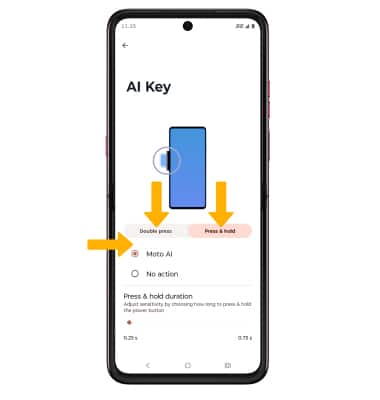
3. Select Double press or Press & hold, then select the desired option.
Use AI Key
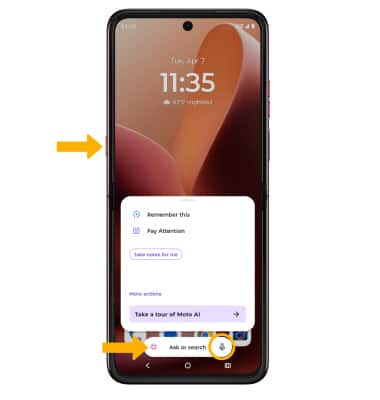
To use, from any screen, press the AI Key to launch Moto AI. Select the Search bar or Microphone icon to enter your search as desired. Moto AI can be used to ask, search, and generate things you need.