
 Phone icon will display in the Notification bar. To learn about calling or using your device in other countries, visit the
 In this tutorial, you will learn how to:
• Navigate In-call options
• Set up and use speed dial
• Create a conference call
• Decline a call with a text message
• Enable/disable call waiting
• Swap between active calls
• Set up and use speed dial
• Create a conference call
• Decline a call with a text message
• Enable/disable call waiting
• Swap between active calls
Navigate in-call options
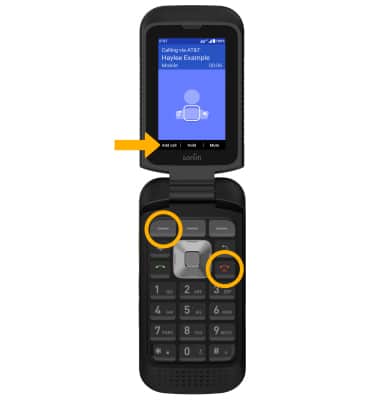
While on an active call, the following options will be available:
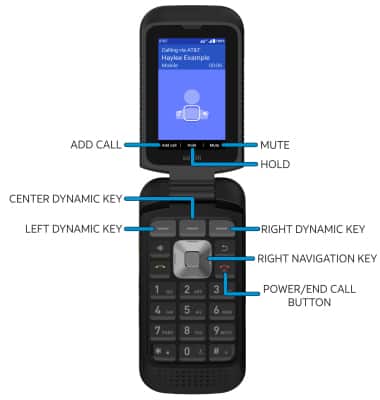
• HOLD/RESUME CALL: Press the Center Dynamic key to select Hold.
• ENABLE/DISABLE SPEAKERPHONE: Press the right navigation key.
• MUTE/UNMUTE: Press the Right Dynamic key to select Mute.
• END CALL: Press the Power/End Call button.
• ADD CALL: Press the Left Dynamic key to select Add call. Navigate to the desired contact or use the Keypad to enter the desired number, then press the Select key.
Set up and use speed dial
SET UP: From the Phone app, press the Left Dynamic key to select Options. Press the down navigation key to highlight Speed dial settings, then press the Select button.
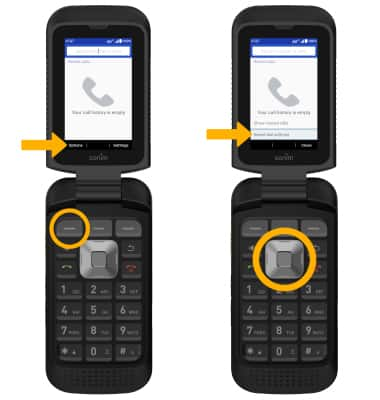
Press the navigation keys to highlight the desired speed dial contact slot, then press the Select button and follow the prompts.
Press the navigation keys to highlight the desired speed dial contact slot, then press the Select button and follow the prompts.
Note: To remove or replace a speed dial number, from the Speed dial screen, press the navigation keys to highlight the desired speed dial number > Select button > desired option > follow the prompts to complete.
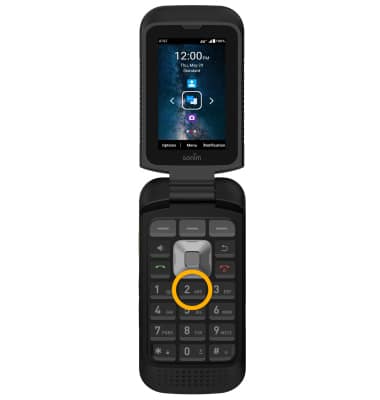
USE: Press and hold the desired Speed dial number on the keypad.
Create a conference call
From an active call, press the Left Dynamic key to select Add call, then follow the prompts. To end a call, press the Power/End Call button.
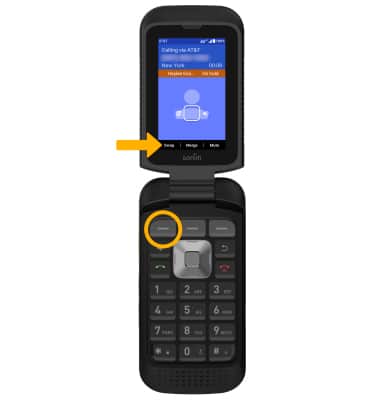
Note: When creating a Conference call, after connecting with a second caller, you will need to press the Center Dynamic key to select Merge to combine the separate phone calls.
Decline a call with a text message
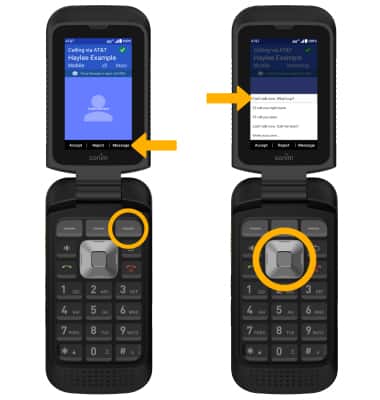
When receiving a call, press the Right Dynamic key to select Message. Press the up or down navigation key to highlight the desired text message to send, then press the Select button to select.
Enable/disable call waiting
Call waiting allows you to accept additional incoming phone calls and put a currently active call on hold. To enable this feature from the Phone app, press the Right Dynamic key to select Settings > Calling accounts > SIM > Additional settings > press the navigation keys to highlight the Call waiting switch. Press the Select button to enable or disable.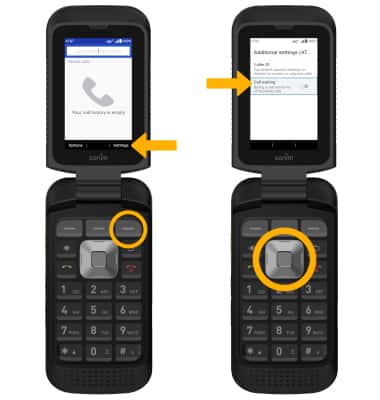
Swap between active calls
While call waiting is enabled and a call is put on hold, press the Left Dynamic key to select Swap from the in-call options to return to the previous call.