
In this tutorial, you will learn how to:
• Access call forwarding
• Enable call forwarding
• Disable call forwarding
When call forwarding is turned on, the  Call forwarding icon will be displayed in the Notification bar.
Access call forwarding
1. From the home screen, select the Phone app.
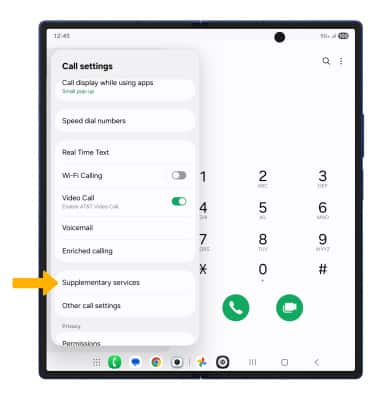
2. Select the  Menu icon, then select
  Settings. Scroll to and select Supplementary services.
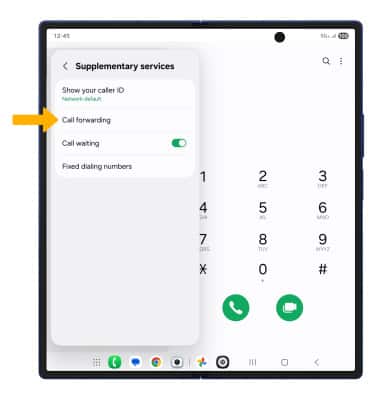
3. Select Call forwarding.
Enable call forwarding
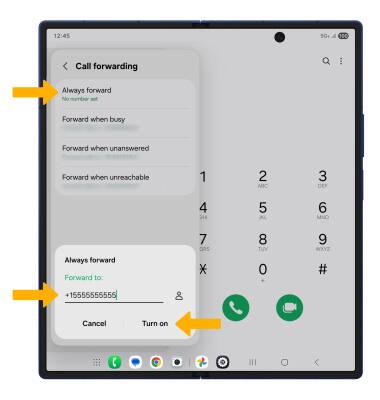
From the Call forwarding screen, select Always forward. Enter the desired Call forwarding number, then select Turn on.
Disable call forwarding
From the Call forwarding screen, select Always forward. Select Turn off.
Note: To change the Call forwarding number while Call forwarding is already active, from the Always forward screen, edit the phone number then select Update.
