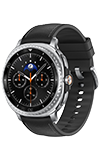

In this tutorial, you will learn how to:
• Transfer media to Galaxy Watch
• Access media on Galaxy Watch
Transfer media to Galaxy Watch
1. To transfer media from a paired device to the Galaxy Watch, from the paired device, select the  Galaxy Wearable app.
2. Select Watch settings, then scroll to and select Manage content.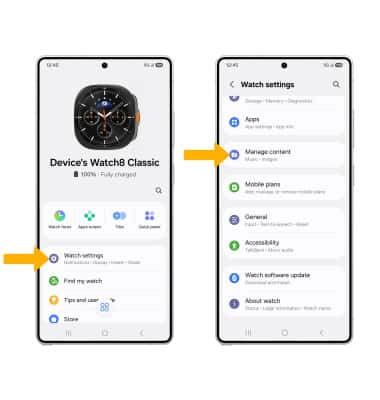
3. Select the desired media (Tracks on watch or Images on watch).
Note: For this demonstration, Images on watch was selected. To automatically sync media to your watch, select the Auto sync switch.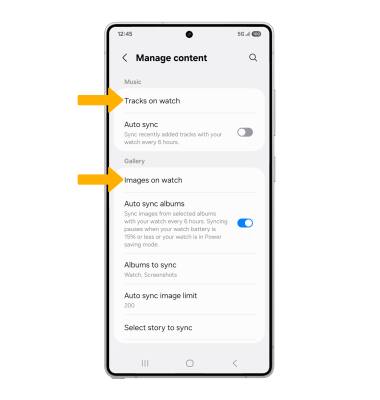
4. Select the  Add icon. Navigate to and select the desired image(s), then select Done.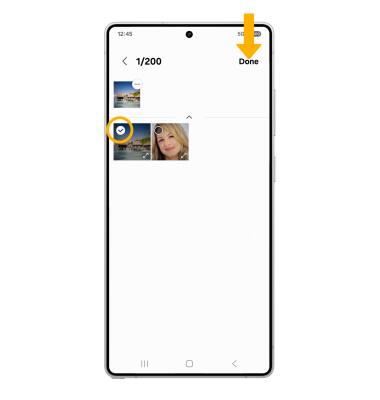
Access media on Galaxy Watch
To access media transferred from your paired device, swipe up from the bottom of the clock screen to access the Apps tray. Scroll to and select the  Gallery app to view photos or select the
  Music app to view tracks.