
1. From the your paired device, navigate to and select the  Outlook app.
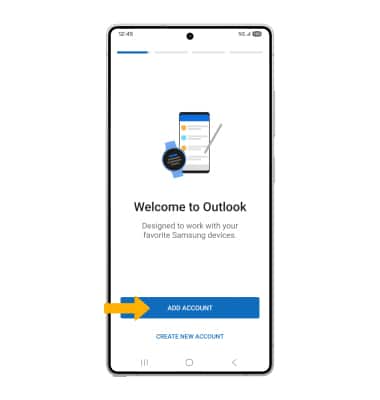
Outlook app.2. Select ADD ACCOUNT.
Note: If you don't have a Outlook account, select CREATE NEW ACCOUNT and follow the prompts to complete set up.
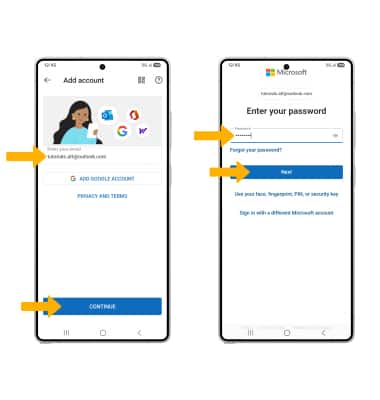
3. Enter the desired email address then select CONTINUE. Enter your account password, then select Next.
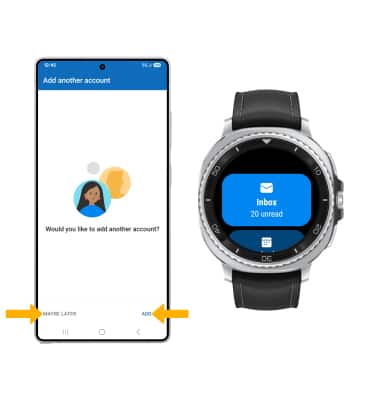
4. To add another account, select ADD. To continue without adding another account, select MAYBE LATER. Your email account is now set up.
Note: To access new emails from your watch, swipe up from the bottom of the clock screen to access the Apps tray, then scroll to and select the Outlook app.
Outlook app.