In this tutorial, you will learn how to:
• Use Emergency SOS
• Access SOS settings
Use Emergency SOS
Quickly press the Home button five times to make an SOS call and send and SOS message in an emergency.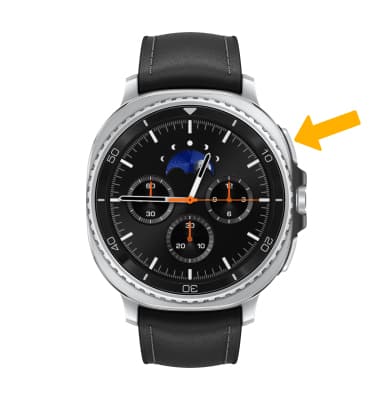
Access SOS settings
1. From your paired device, navigate to and select the  Galaxy Wearable app.
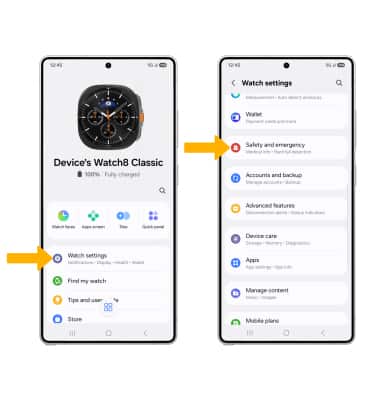
Galaxy Wearable app.2. Select Watch settings, then scroll to and select Safety and emergency.
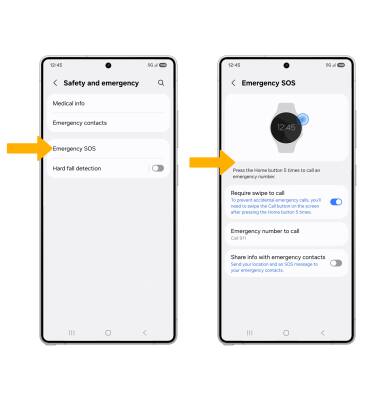
3. Select Emergency SOS, then edit settings as desired.