In this tutorial, you will learn how to:
• View Sleep time
• View Sleep details
• View Sleep details on paired device
• Set a Sleep time target
View Sleep time
1. Swipe up from the bottom of the clock screen to access the Apps tray, then select the  Samsung Health app.
Note: For quick access, from the clock screen, swipe left to the Samsung Health widget.
2. Scroll down to Sleep. Your most recent night of sleep will be displayed. 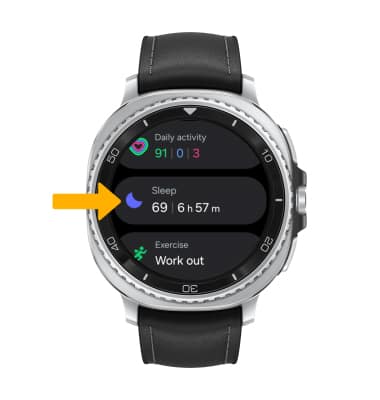
View Sleep details
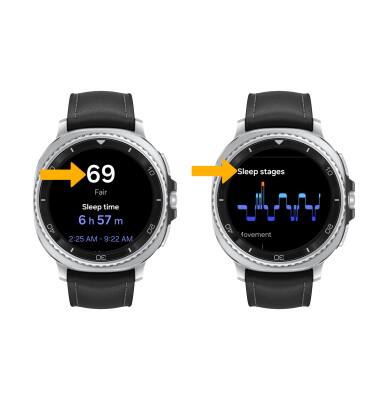
1. To view sleep details, from the Samsung Health app, scroll to and select Sleep. 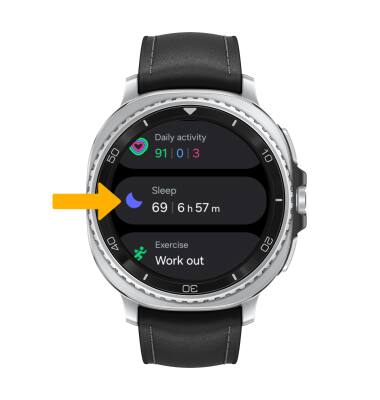
2. Scroll down to view sleep data, such as Sleep score and Sleep stages.
View Sleep details on paired device
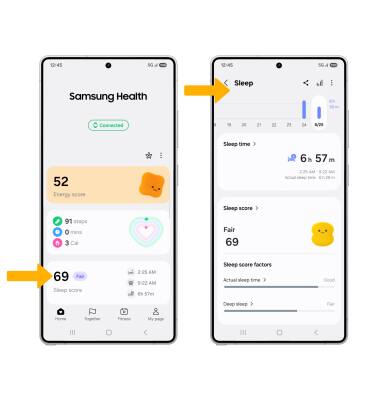
1. The sleep data from your Samsung Galaxy Watch8 Classic will also be recorded in the Samsung Health app on your paired device. To view sleep details, from the paired device navigate to and select the Samsung Health app.
2. Select Sleep score. Your Sleep data will be displayed.
Set a Sleep time target
1. From the Samsung Health app in the paired device, select Sleep score. Select the  Menu icon, then select Set target.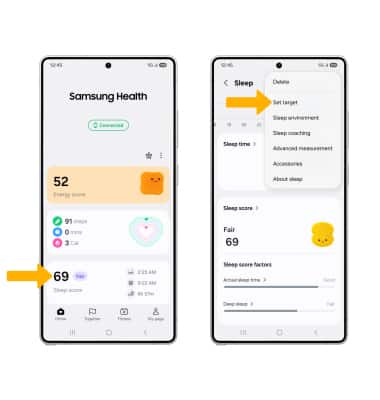
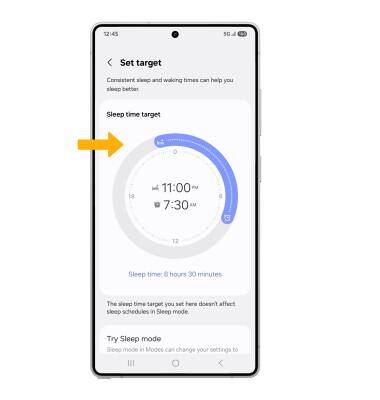
2. Set the target sleep time as desired.