
In this tutorial, you will learn how to:
• Access Samsung Health
• Track steps
• Track workout
• Measure heart rate
• Access settings
Access Samsung Health
1. Swipe up from the bottom of the clock screen to access the Apps tray, then scroll to and select the  Samsung Health app.
Note: For quick access, from the clock screen, swipe left to the Samsung Health widget.
2. Your calories burned, active minutes, and hourly activity will be displayed. 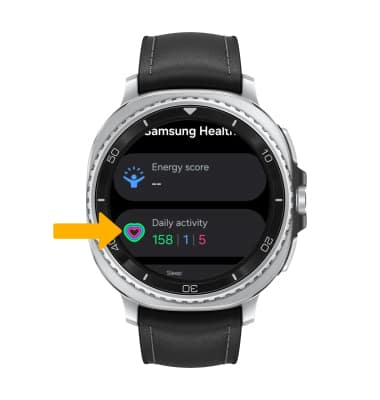
Track steps
From the Samsung Health app, scroll to and select Steps. The pedometer will be displayed. 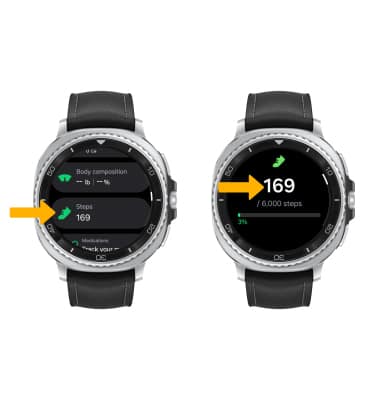
Track workout
1. Scroll to Exercise, then select Work out to view workout options. Swipe left or right to and select the desired workout.
Note: The exercise feature helps you keep track of your exercise routines, calories burned, length of time and distance traveled. To start your workout immediately and skip the countdown, select Tap to skip.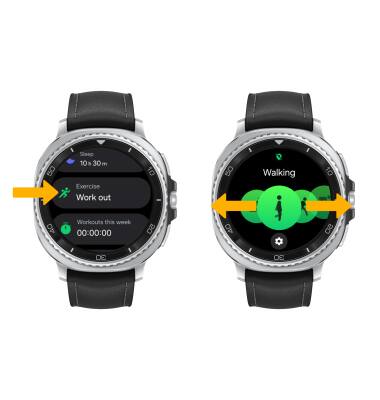
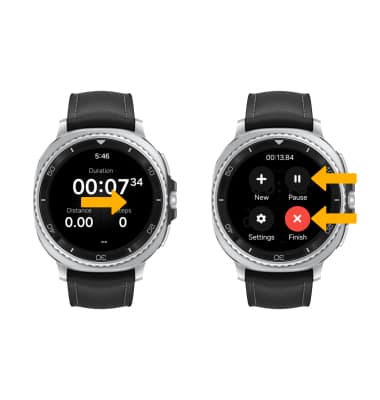
2. Your watch will count down for you to begin your workout. To pause or stop your workout, swipe right to open the control panel, then select the desired option.
Note: Alternately, press and hold the Back button to pause or resume the workout. Upon first access, review the Samsung Health location prompts, then select the desired option.
Measure heart rate
From the Samsung health screen, scroll to and select Heart rate, then select Measure to measure your heart rate.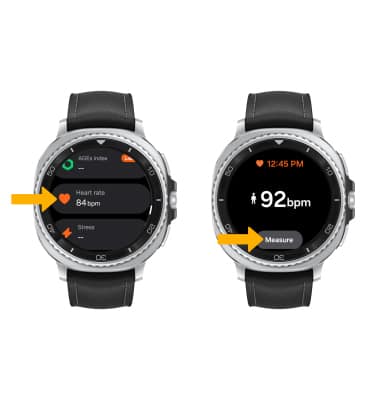
Access settings
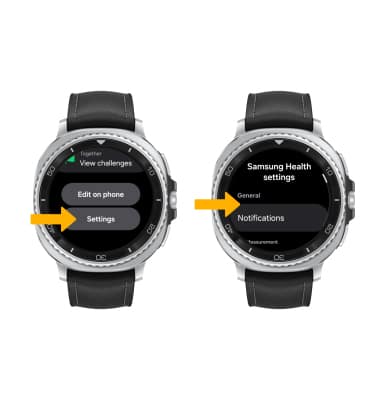
Scroll to and select Settings. Adjust settings as desired.