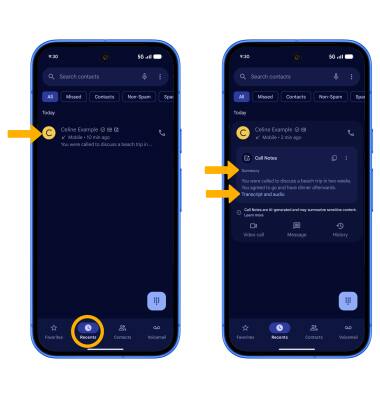

Summarize transcripts from calls notes
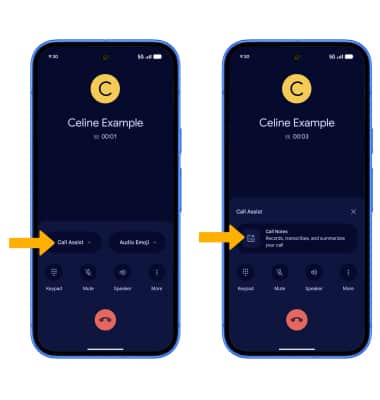
1. Call Notes can generate transcripts and notes from your calls. To enable Call notes, while on a call, select Call assist then select Call Notes.
2. Transcripts will automatically be generated. Call Notes will summarize Call Notes in the Phone app. From the Phone app, select the Recents tab then select the desired call with a Call Note. The Summary will be displayed. Select Transcript and audio to view the call's transcript and listen to the recording.