In this tutorial, you will learn how to:
• Access the Notes app
• View a note
• Create a new note
• Pin a note
• Check off an item
• Delete a note
Access the Notes app
From the clock screen, press and hold the Digital Crown/Home button then select the  Notes app.
View a note
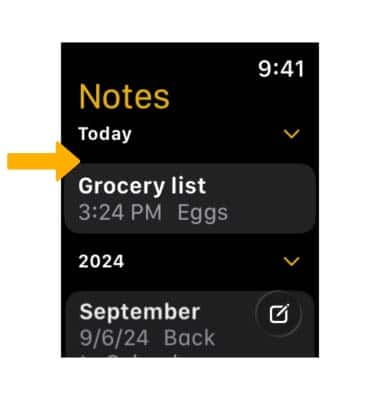
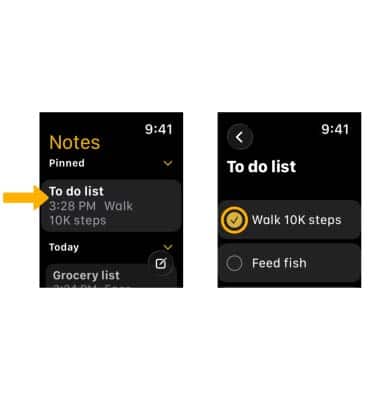
From the Notes app, select the desired note.
Note: You can only edit a note from the Notes app on your paired iPhone.
Create a new note
1. From the Notes app, select the  Compose icon. Enter the desired note, then select Done.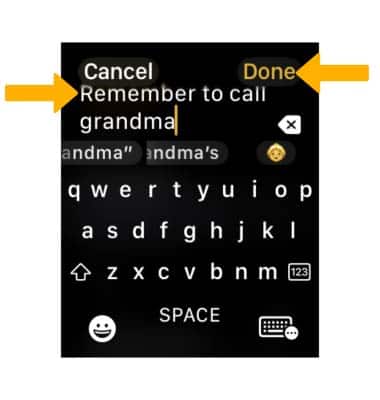
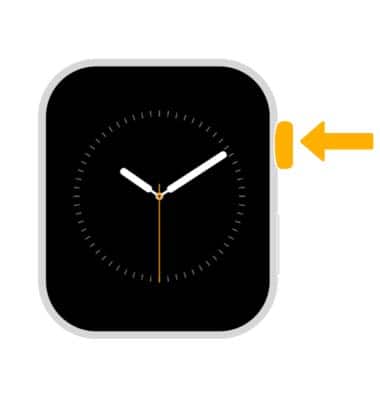
2. To use Siri to create a note, press and hold the Digital Crown/Home button.
3. Say the desired note you wish Siri to create. Review the note, then select Done. 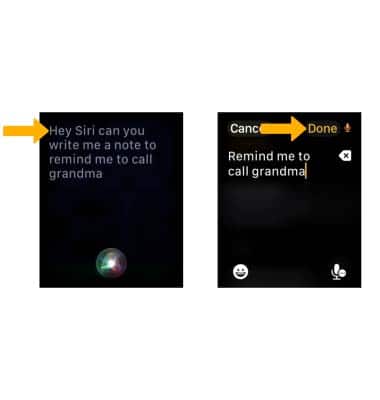
Pin a note
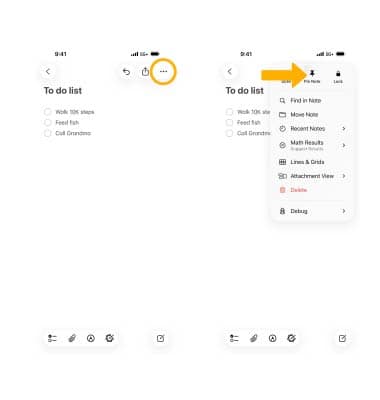
To pin a note, from the Notes app on the paired iPhone, navigate to the corresponding note. Select the Menu icon, then select Pin Note.
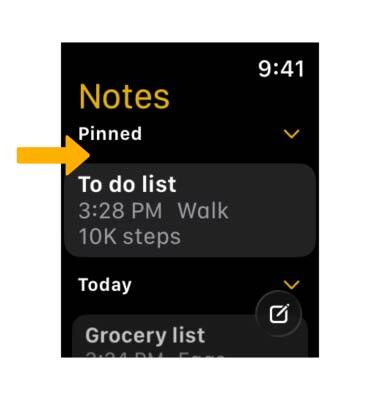
The pinned note will appear at the top of the Notes list.
Check off an item
From the Notes app, select the desired note. To check off an item as completed, select the circle next to the desired item.
Delete a note
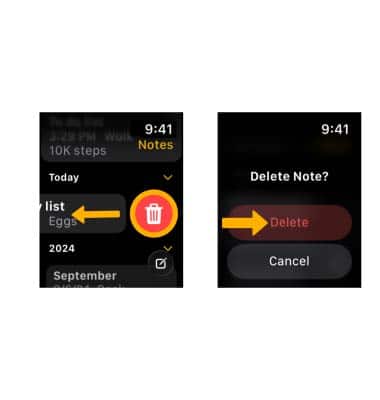
From the Note apps, swipe left on the desired note then select the Delete icon. Select Delete to confirm.
Note: Deleting a note on your Apple Watch will also delete the note on your paired iPhone.