In this tutorial, you will learn how to:
• Set up Gemini
• Use Gemini
• Access Gemini settings
Set up Gemini
1. Press the Watch Crown to access the Apps tray, then scroll to and select the Gemini app. Select Get started.
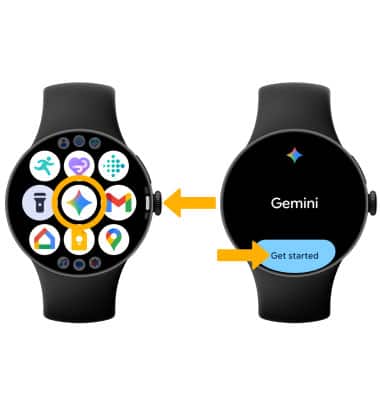
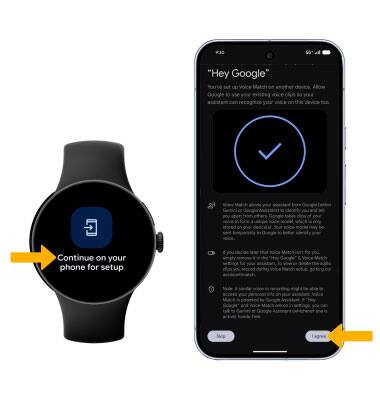
2. Select Continue on your phone for setup. On your paired device, select I agree.
Use Gemini
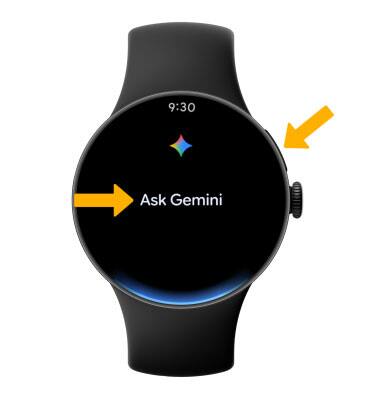
Press and hold the Side button. Say the desired search term(s) when "Ask Gemini" is on-screen.
Access Gemini settings
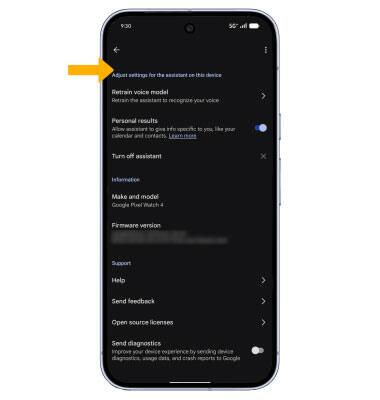
1. From the paired device, navigate to and select the  Google Watch app > select Google > select Digital assistant.
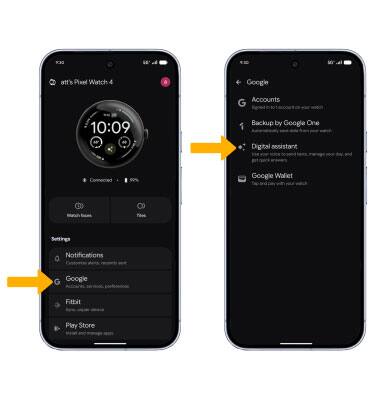
2. Edit settings as desired.