In this tutorial, you will learn how to:
• View Phone number and IMEI from the watch
• View Serial number from the watch
• View Phone number and IMEI from the AT&T amiGO™ app
• View Serial number from the watch
• View Phone number and IMEI from the AT&T amiGO™ app
View Phone number and IMEI from the watch
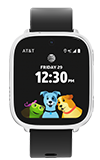
1. From the Clock screen, swipe left four times then select the  Settings app.
2. Scroll to and select About.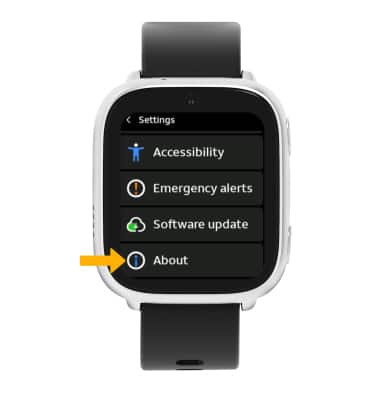
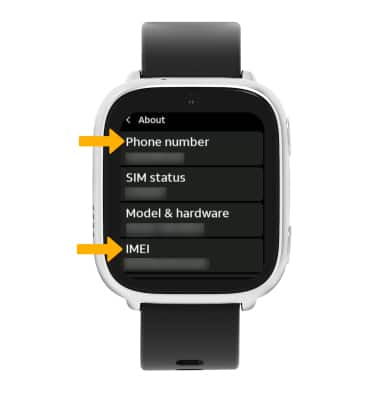
3. Scroll to view the Phone number and IMEI.
View Serial number from the watch
1. From the About screen, select Model & hardware. The Serial number will be displayed.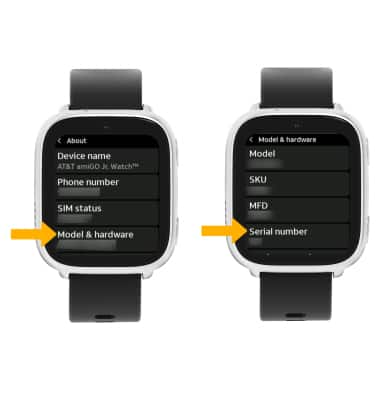
View Phone number and IMEI from the AT&T amiGO™ app
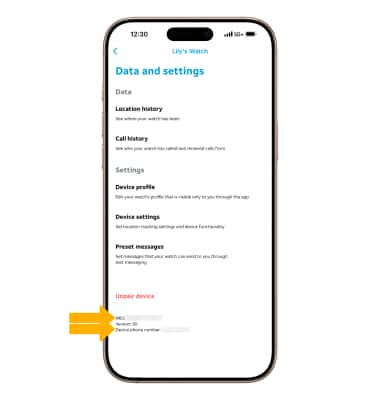
1. From your connected smart phone, navigate to and select the  AT&T amiGO™ app. Select the desired device, then select the Settings icon.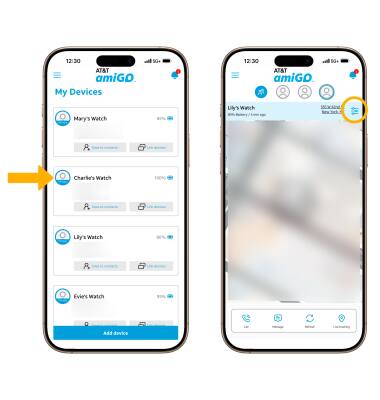
2. The device’s IMEI and Phone number will be displayed at the bottom of the screen.