In this tutorial, you will learn how to:
• Create, edit or delete reminders
• Access & dismiss reminders
• View reminders list
Create, edit or delete reminders
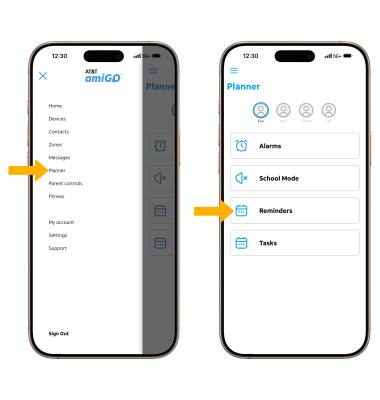
CREATE A REMINDER: From the  AT&T amiGO app, select the
  Menu icon. Select Planner, then select Reminders.
Select Add New Reminder, then enter the Reminder details including the Name, Date & Time. When finished, select Save Reminder.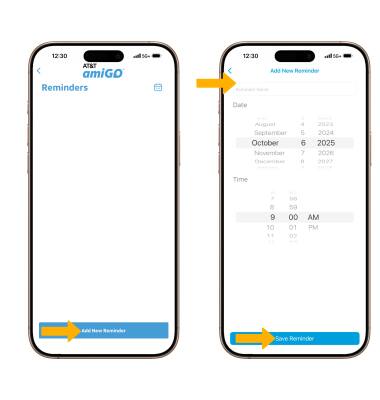
EDIT OR DELETE A REMINDER: To edit a reminder, from the Reminders screen, select the desired Reminder. Edit the reminder as desired, then select Save Reminder. To delete a reminder, from the desired reminder, select Delete.
Note: If you are deleting a reminder, you will be prompted to select Yes to confirm.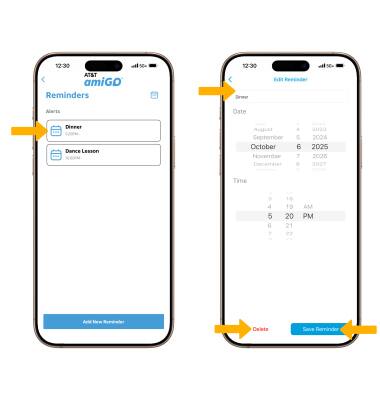
Access & dismiss reminders
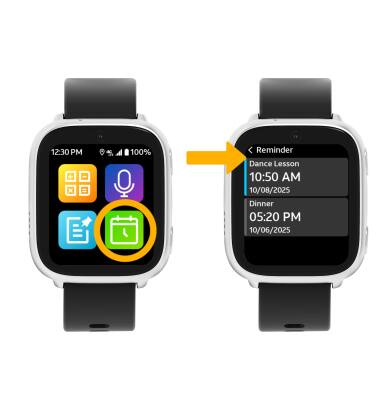
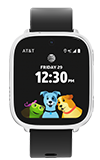
Reminders will appear on the watch face before the designated time, select the Reminder to go to the Reminders screen. The watch will also ring at the designated time, select OK to dismiss the reminder.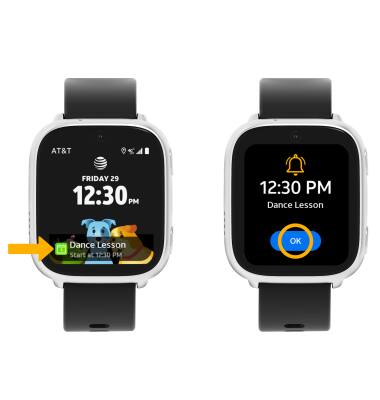
View reminders list
From the watch face, swipe left three times and select the Reminders app, the Reminders list will be displayed.