
In this tutorial, you will learn how to:
• Update child's profile
To access the AT&T amiGO™ app, from the home screen, navigate to and select the  AT&T amiGO™ app.
Update child's profile
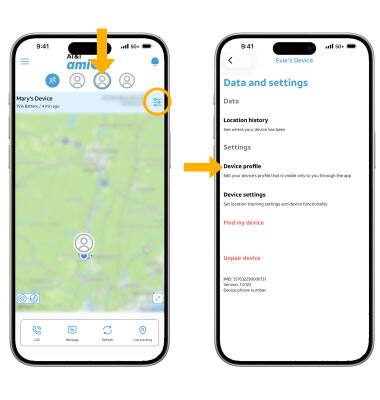
1. From the AT&T amiGO™ app on your smartphone, select the desired device. Select the Settings icon, then select Device profile.
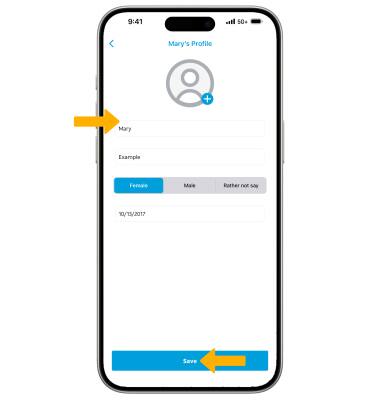
2. Edit profile information as desired, then select Save.