
In this tutorial, you will learn how to:
• Change wallpaper
Change wallpaper
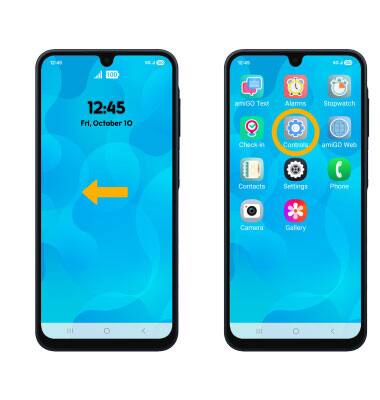
1. To change wallpaper, from the home screen, swipe left to the apps tray then select the Controls app.
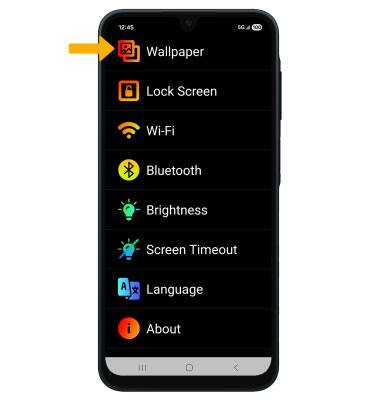
2. Select Wallpaper.
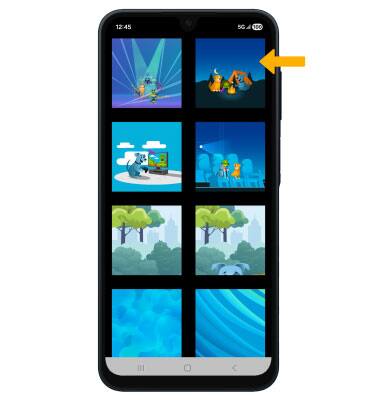
3. Select the desired wallpaper.
Tips
Visit the Display tutorial for more information on display options.