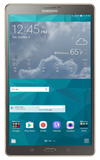
- To turn Wi-Fi on or off, from the home screen, swipe down from the Notification bar and select the Settings icon.
Note: To optimize battery life, turn Wi-Fi off when not in use.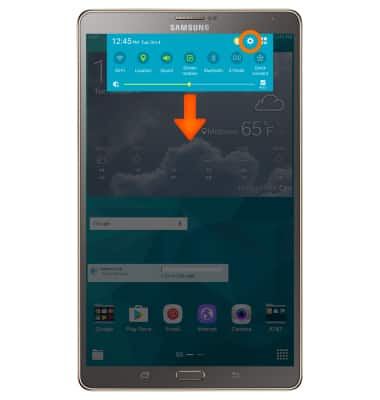
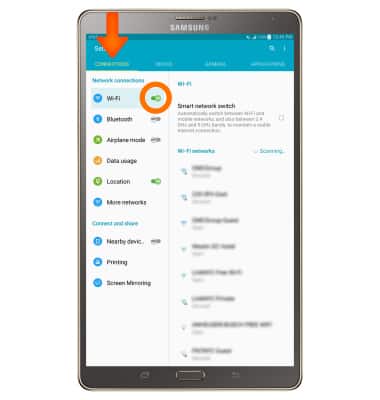
- Select the CONNECTIONS tab then select Wi-Fi. Select the Toggle to turn Wi-Fi on or off.
- The device will scan for nearby Wi-Fi networks to connect to.
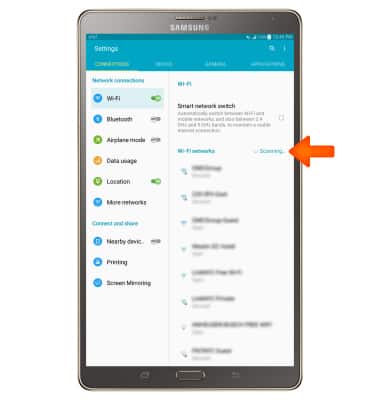
- To connect, select the Desired network.
Note: Data transmitted over a Wi-Fi network does not count toward your AT&T data plan, and will not be billed. When using the AT&T network, data rates apply.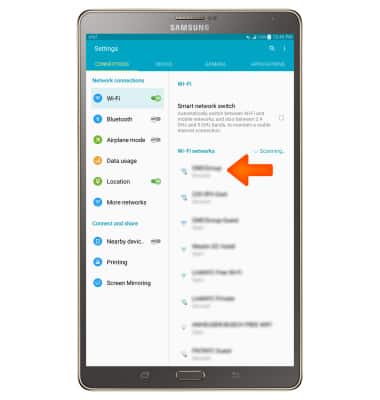
- If connecting to a secure network, enter the Wi-Fi network password, then select CONNECT.
Note: Secure networks will display with a Lock icon.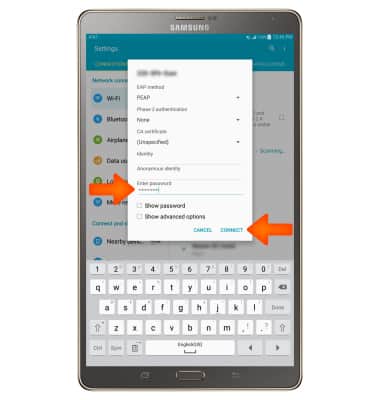
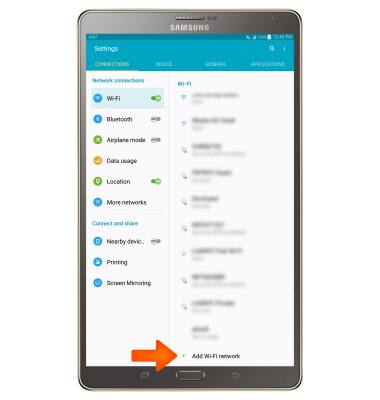
Scroll to and select Add Wi-Fi network to connect to a hidden or unbroadcasted Wi-Fi network.
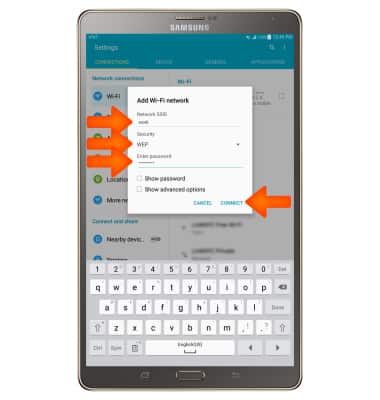
- You will need to enter the network SSID, security type, and a password (if necessary) to continue. When finished, select CONNECT.
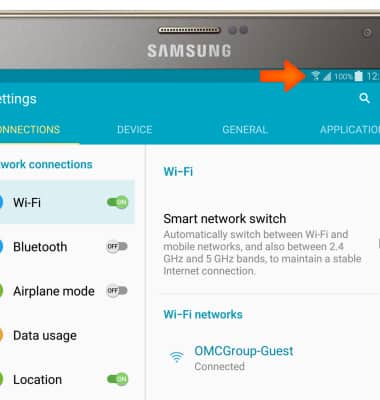
- When Wi-Fi is connected, the Wi-Fi Connected icon will display in the Notification bar.
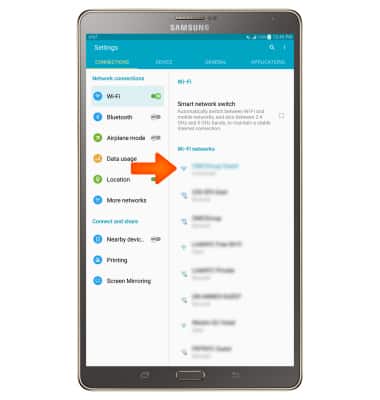
- To remove a Wi-Fi network, select the Desired network.
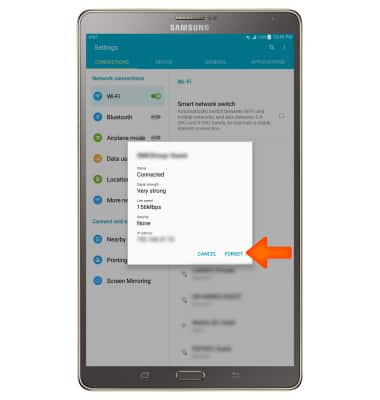
- Select FORGET.
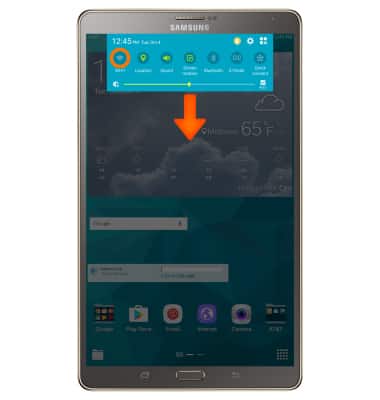
- To quickly turn Wi-Fi on or off, swipe down from the Notification bar and select Wi-Fi.
Wi-Fi
Samsung Galaxy Tab S 8.4 (T707A)
Wi-Fi
Connect your device to a Wi-Fi network.
INSTRUCTIONS & INFO