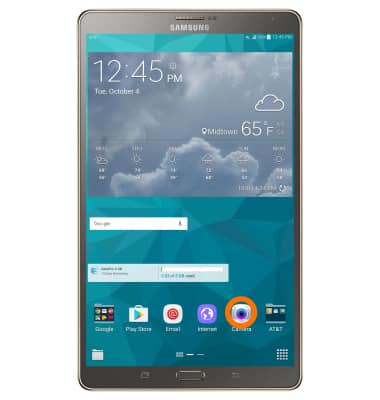
- To access the Camera, from the home screen, select Camera.
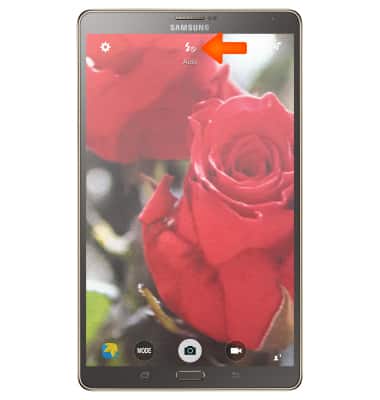
- To turn Flash on or off, select the Flash icon.
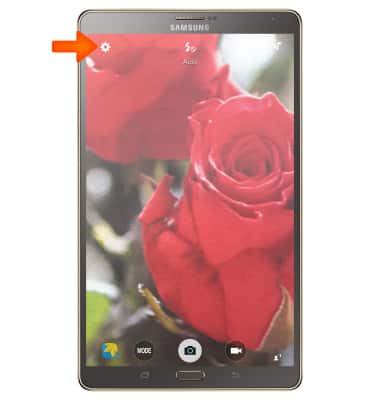
- To change Camera settings, select the Settings icon.
- In Camera Settings, scroll down then select Storage location.
Note: You will need a MicroSD card (Sold separately) for this feature.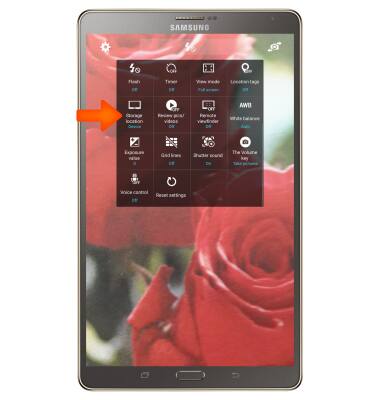
- To save photos and videos to the memory card select Memory card.
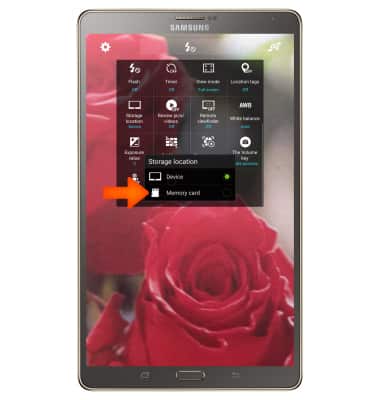
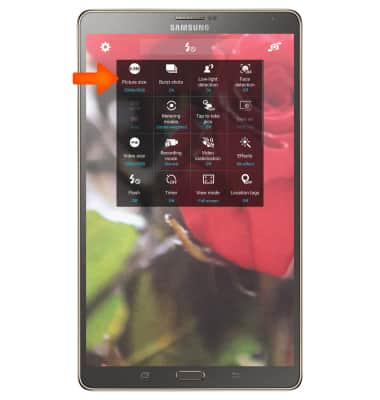
- To change the size of the picture, select the Picture size icon and select the desired option.
- To turn on the Timer, select Timer icon and set to desired option.
Note: To learn more about your camera settings and features, scroll down and select User manual.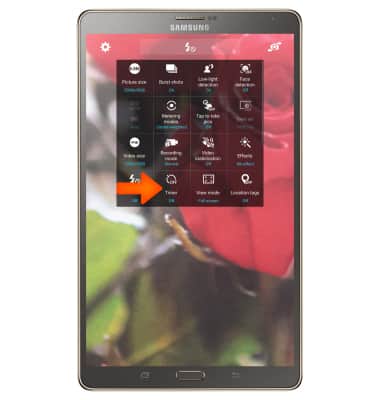
Camera & Video Settings
Samsung Galaxy Tab S 8.4 (T707A)
Camera & Video Settings
Manage camera and video settings including flash, timer, voice control, recording mode, storage location, and more.
INSTRUCTIONS & INFO