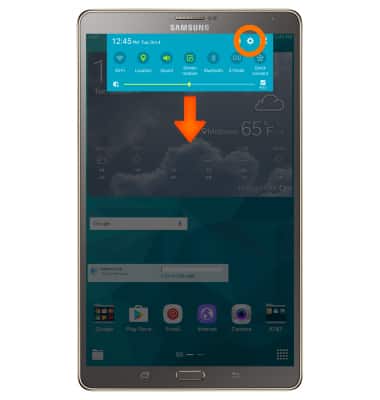
- Swipe down from Notification bar, then select the Settings icon.
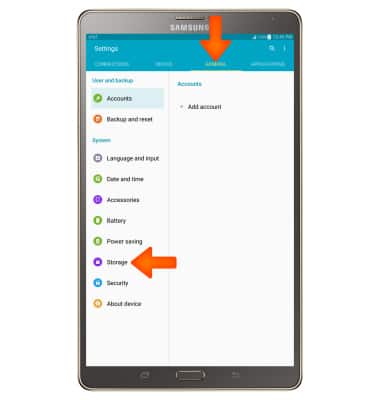
- Select the GENERAL tab then select Storage.
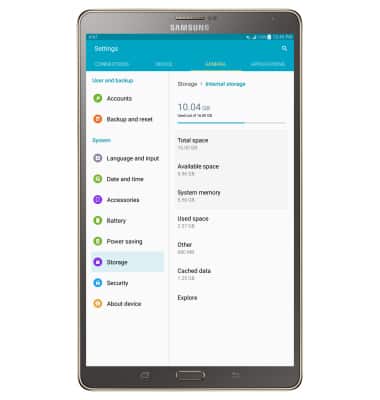
- To view the device storage summary select Internal storage.
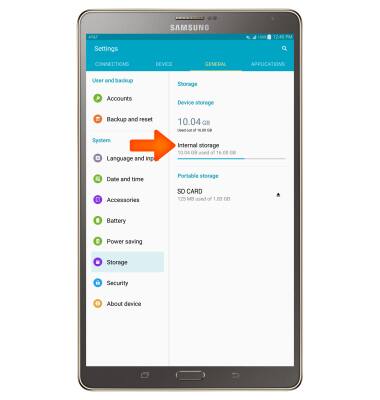
- The device storage summary will be displayed.
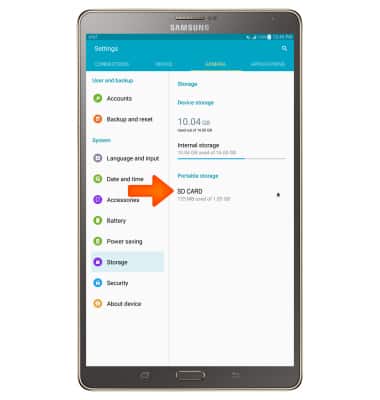
- To view memory card storage space, from the Storage screen select SD CARD.
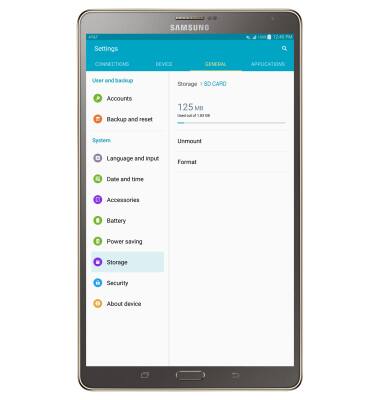
- The memory card storage summary will be displayed.
- This device is available with 16 GB of internal, useable memory and the option to add a MicroSD card (sold separately) up to 128 GB.
Note: Purchase an SD memory card to expand your device memory.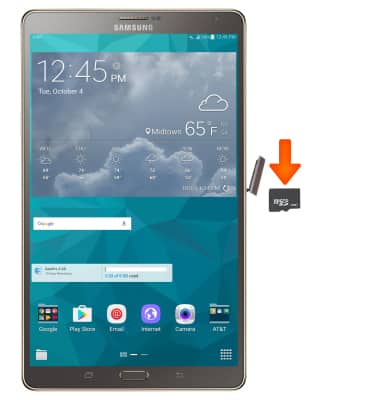
- To free up memory on your device, delete unwanted pictures, music, and videos by selecting Used space > Pictures, videos or Audio > select and hold the Desired file > select DELETE.
Note: See the ‘Transfer media to & from computer’ tutorial for information on moving files from your device to your computer.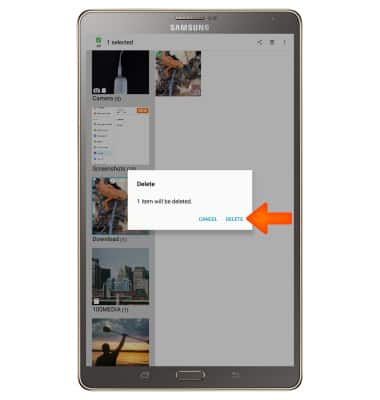
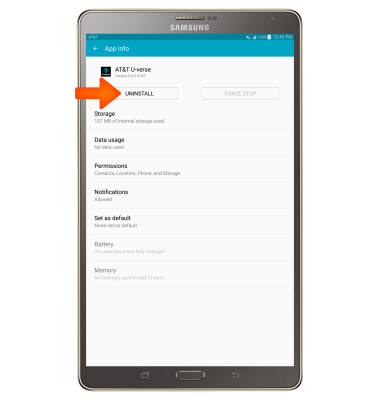
- Remove unused apps by selecting Used space > Applications > Swipe to the DOWNLOADED tab > select the Desired app > Select UNINSTALL.
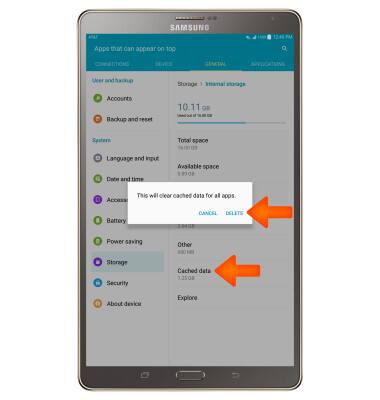
- Clear app data by selecting Cached data > DELETE.
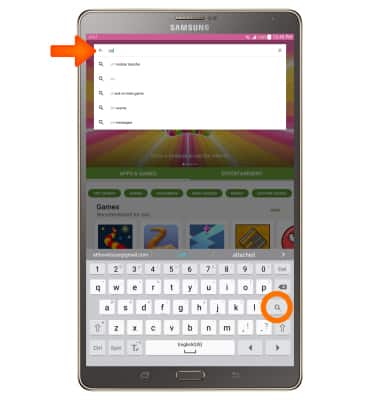
- Use a cloud storage app. Download via the Play Store.
Available Memory
Samsung Galaxy Tab S 8.4 (T707A)
Available Memory
Check the available device storage.
INSTRUCTIONS & INFO