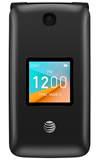
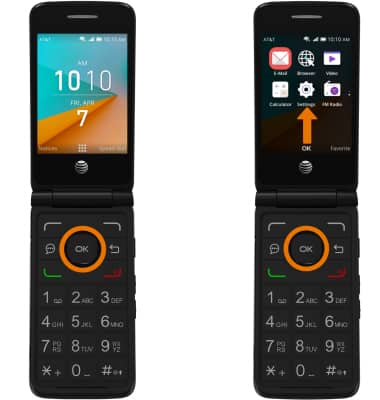
- ADJUST SCREEN TIMEOUT: From the home screen, press the OK button. Press the directional buttons to navigate to and highlight the Settings app, then press the OK button.
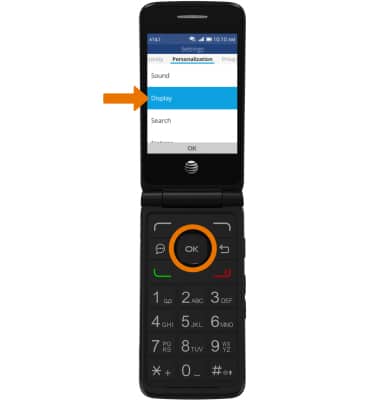
- Navigate to the Personalization tab, then navigate to and select Display.
- Navigate to and select Screen Timeout, then select the desired timeout option.
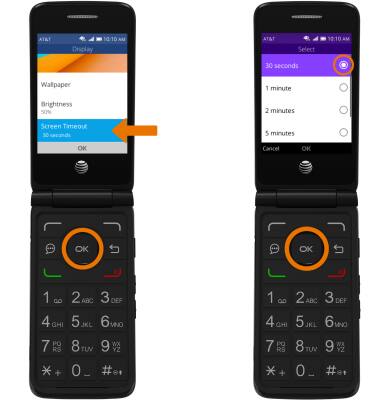
- ADJUST BRIGHTNESS: From the Display screen, navigate to and select Brightness then press the up and down directional buttons to adjust the brightness as desired.
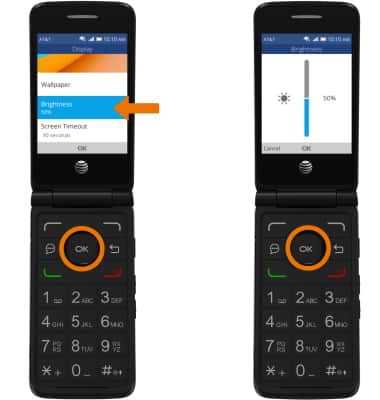
Display
AT&T Cingular Flip 2 (4044O)
Display
Change the display time out and brightness.
INSTRUCTIONS & INFO