- ACCESS DIRECTV: Swipe up or down from the middle of the home screen to access the Apps tray, then select the DIRECTV app.
Note: Upon first access, you must read and review the End User Acknowledgement. Select I AGREE to continue. You will then receive permission prompts. Select ALLOW to continue.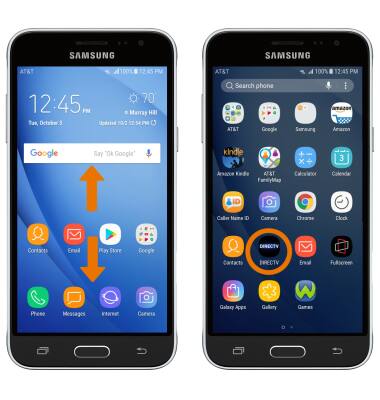
- Enter your Login information, then select Sign In.
Note: Upon first access, you will be presented with a tutorial. Select Continue to proceed. If you do not have a DIRECTV account, you will need to create a new account.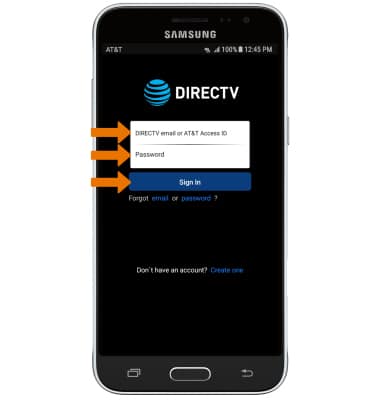
- WATCH LIVE TELEVISION: Select Watch on Phone, then select Watch Live TV or the desired show.
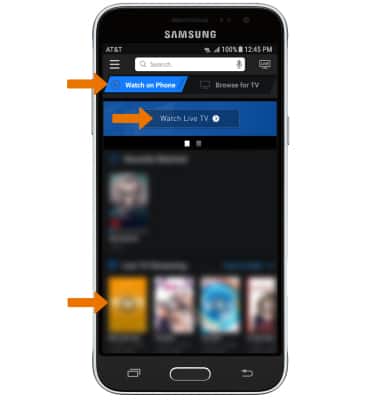
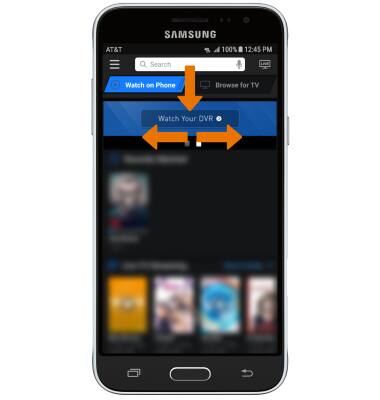
- WATCH YOUR DVR: Swipe left or right from Watch Live TV, then select Watch Your DVR and follow the prompts.
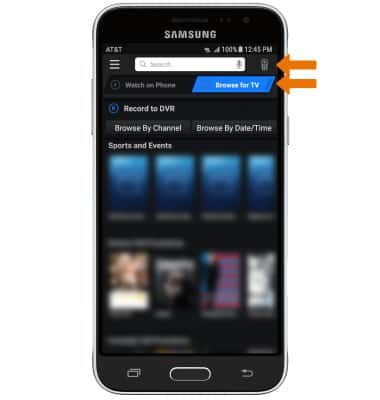
- USE DTV QUICK REMOTE: Select Browse for TV, then select the Remote icon.
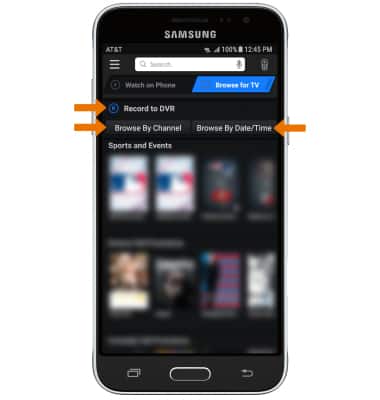
- BROWSE & RECORD PROGRAMS TO DVR: Select Record to DVR. You can also browse through programs on your phone by Channel or Date/Time by selecting the corresponding options.
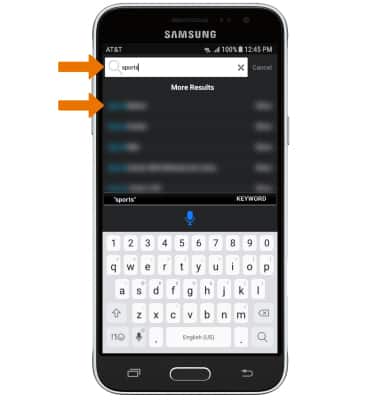
- SEARCH FOR A SHOW OR MOVIE: Select the Search bar, then enter the desired show or movie. Select the desired search result.
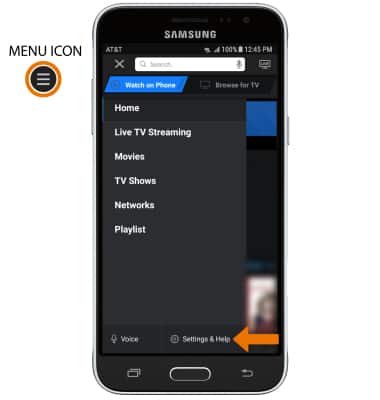
- EDIT SETTINGS: Select the Menu icon, then select Settings & Help.
DIRECTV App
Samsung Galaxy Express prime (J320A)
DIRECTV App
Watch, search, and record your favorite movies and shows, and turn your device into your remote control, with the DIRECTV app on your phone.
INSTRUCTIONS & INFO