- MAKE A PHONE CALL: From the home screen, select the Phone app. Enter the desired number, then select the Call icon.
Note: To learn about calling or using your device in other countries, visit the AT&T International website.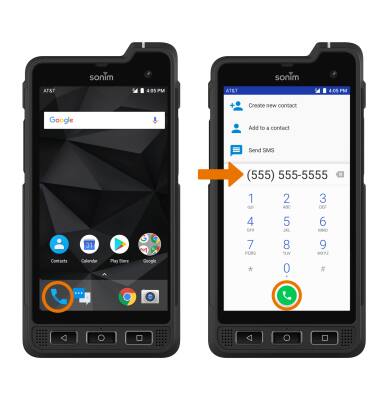
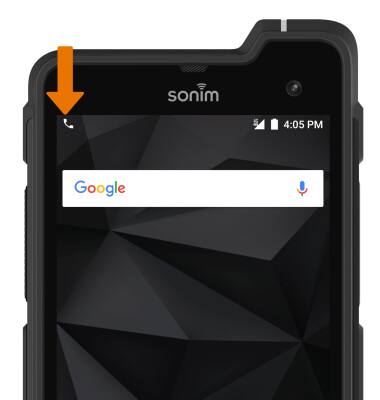
- While a call is active, the Call icon will be displayed in the Notification bar.
- MAKE A PHONE CALL WITH SPEED DIAL: From the Phone app, select and hold the desired speed dial number.
Note: To add or remove a number from speed dial, from the Phone app select the Menu icon > Settings > Speed dial settings > edit Speed dial settings as desired.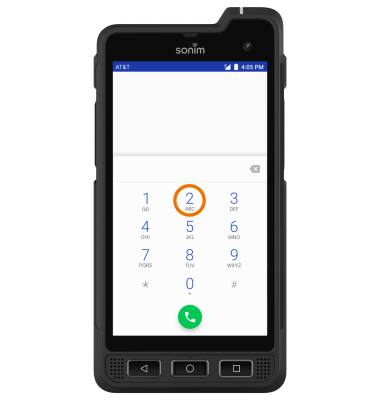
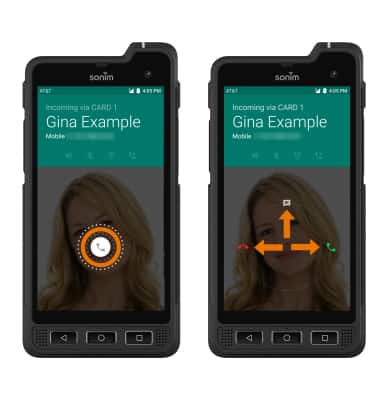
- ANSWER OR DECLINE A CALL: Select and hold the Call icon. Swipe to the right to answer a call. Swipe to the left to decline a call. REPLY WITH TEXT MESSAGE: Swipe up to decline the call and reply with a message.
- Select the desired text message to send, or select Write your own to write your own.
Note: To create or edit text message replies from the home screen, select the Phone app > Menu icon > Settings > Quick responses > desired message to edit.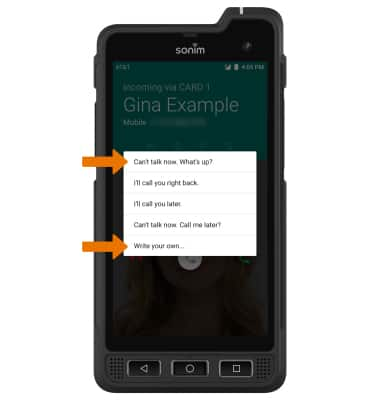
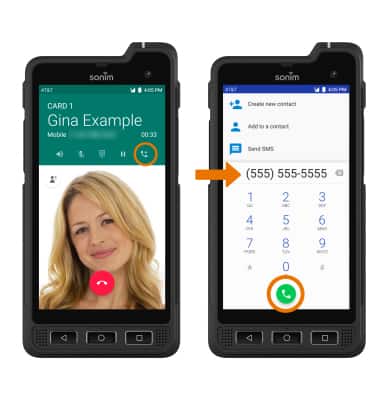
- CREATE A CONFERENCE CALL: While on an active call, select the Add call icon > desired number or contact > Call icon.
Make & Receive a Call
Sonim XP8 (XP8800)
Make & Receive a Call
Place, receive, and reject a call.
INSTRUCTIONS & INFO