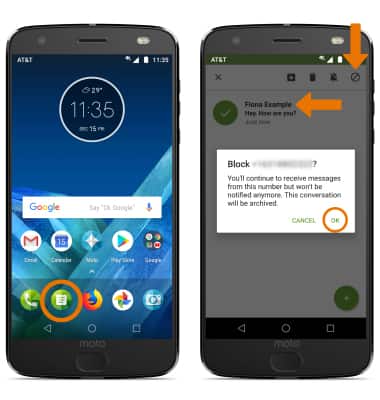
- BLOCK: From the home screen, select the Moto Messages app. Select and hold the desired message > Block icon > OK.
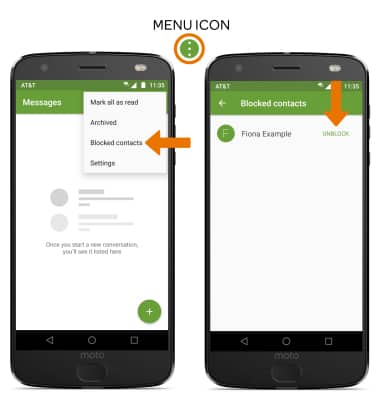
- UNBLOCK: From the Moto Messages app, select the Menu icon then select Blocked contacts. Select UNBLOCK next to the desired contact.
Block Messages
Motorola Moto Z2 Force Edition (XT1789)
Block Messages
Block messages from your device.
INSTRUCTIONS & INFO