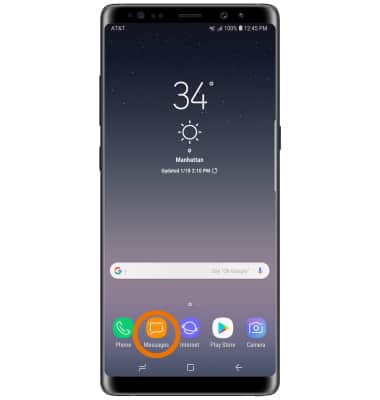
- From the home screen, select the Messages app.
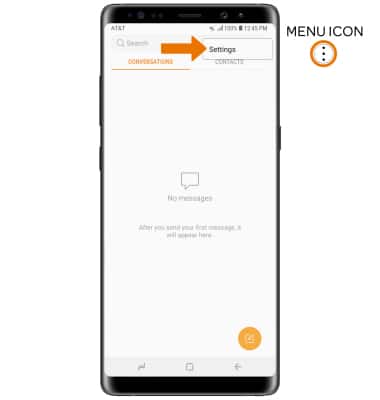
- Select the Menu icon, then select Settings.
- Select Block messages.
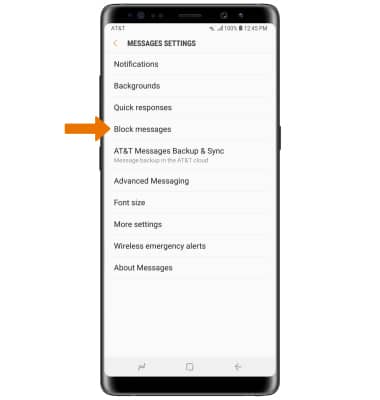
- To block specific numbers, select Block numbers. To block specific phrases, select Block phrases. To view blocked messages, select Blocked messages.
Note: For this demonstration, Block numbers was selected.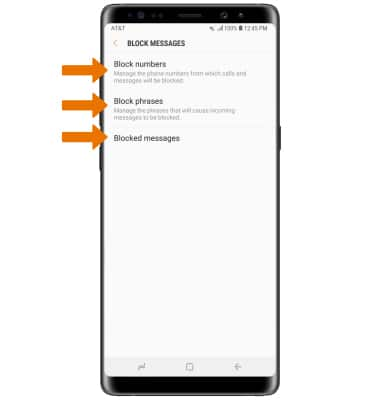
- Enter the desired phone number, then select the Add icon.
Note: Select INBOX to block a number from your messages inbox. Select CONTACTS to block a number from your contacts.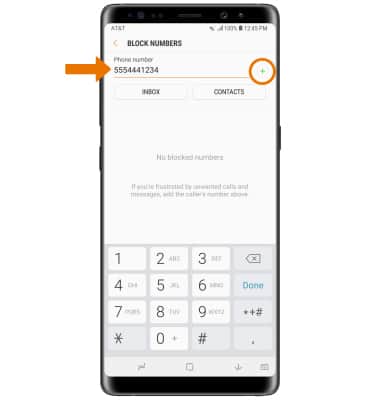
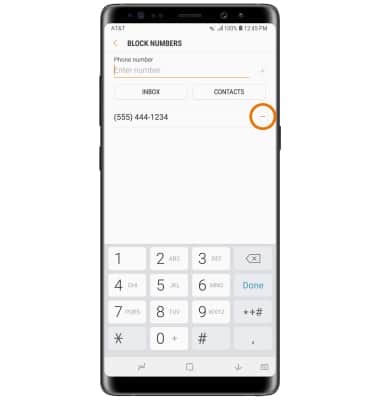
- To remove a number, select the Remove icon next to the desired number you would like to remove.
Block Messages
Samsung Galaxy Note8 (N950U)
Block Messages
Block messages from your device.
INSTRUCTIONS & INFO