- BACKUP/RESTORE CONTACTS: Select the Contacts app.
Note: Inserting a memory card (microSD card) into your device allows you to transfer and store contacts, music, pictures, and videos. MicroSD cards are sold separately.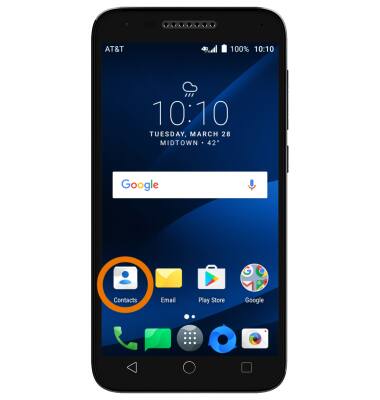
- Select the Menu icon, then select Import/Export.
Note: Select Merge contacts to merge contacts from phone.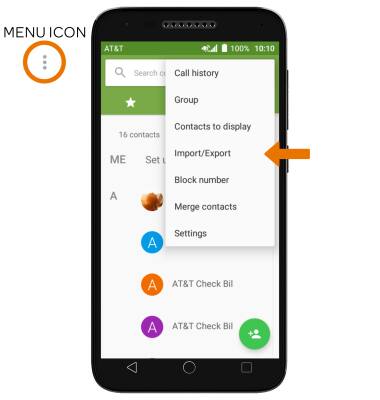
- Select Phone, then select NEXT.
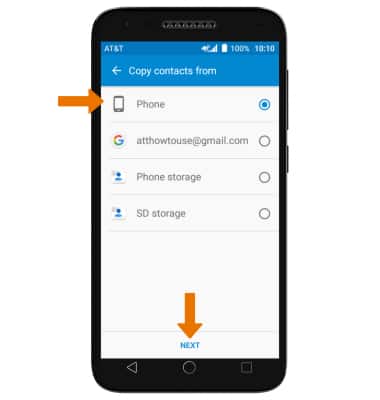
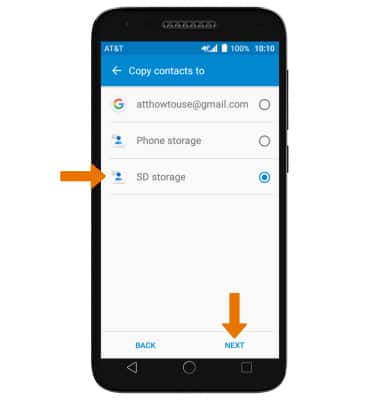
- Select SD storage, then select NEXT.
- Select desired contacts, then select the Check icon. Review export file location, then select EXPORT.
Note: Review prompts and if you agree, select ALLOW.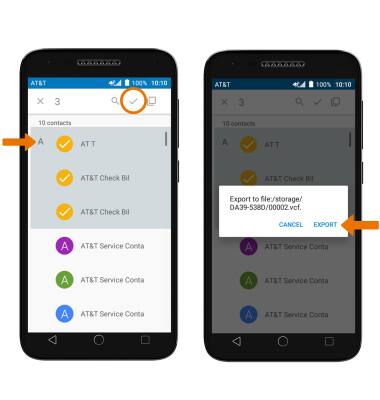
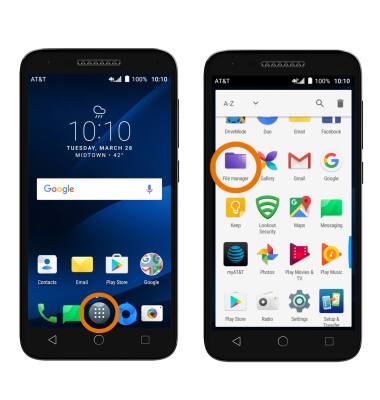
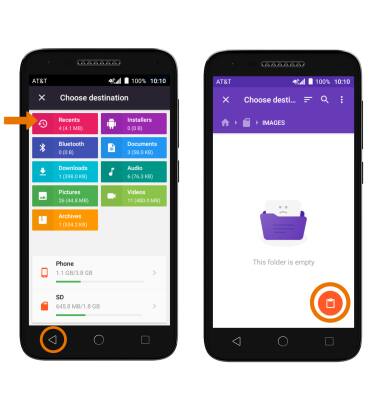
- BACKUP/SAVE MUSIC & PHOTOS TO THE SD CARD: Select the Apps tray, then select the File manager app.
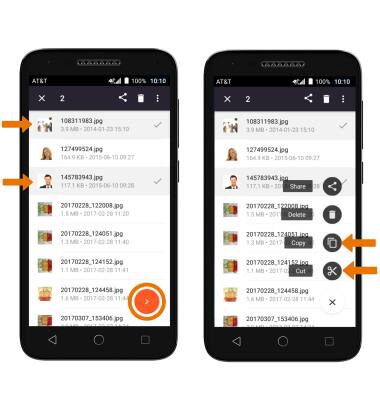
- Navigate to and select and hold the desired file(s), then select the Arrow icon. Select Copy or Cut.
- Select the Back key and navigate to the desired destination on the SD card, then select the Paste icon.
Backup & Restore with Memory Card
Alcatel IdealXCITE / CAMEOX (5044R)
Backup & Restore with Memory Card
Backup contacts, photos, and files to increase device memory or transfer to another device.
INSTRUCTIONS & INFO