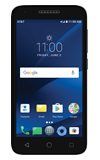
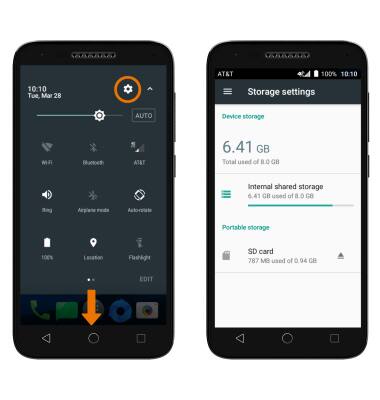
- VIEW AVAILABLE MEMORY: Swipe down twice from the Notification bar, then select the Settings icon.
Note: The Alcatel idealXCITE™ is available with approximately 8GB of internal, usable memory. The Alcatel CAMEOX™ is available with approximately 16GB of internal, usable memory. Both devices have the option to add a MicroSD card up to 128GB. MicroSD cards are sold separately.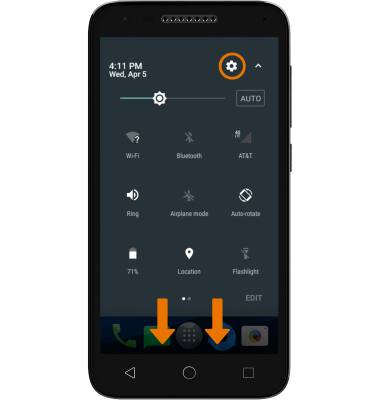
- Select Storage.
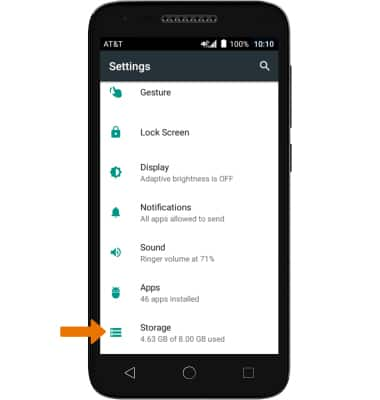
- Available internal memory and portable storage memory space will be listed.
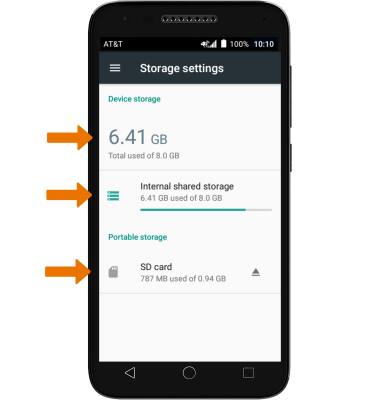
- Free up memory on your device, delete unwanted pictures, music, and videos by swiping down from the Notification bar, then selecting the Settings icon > Storage. From the Storage Settings screen navigate to desired content you wish to remove.
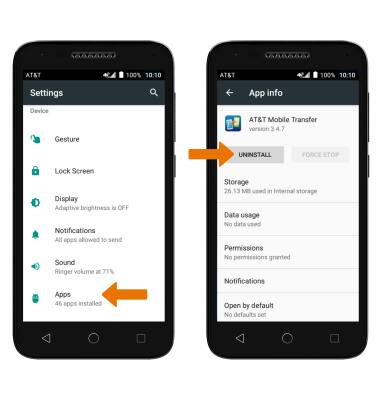
REMOVE UNUSED APPS: Select Apps in Settings > desired app > UNINSTALL.
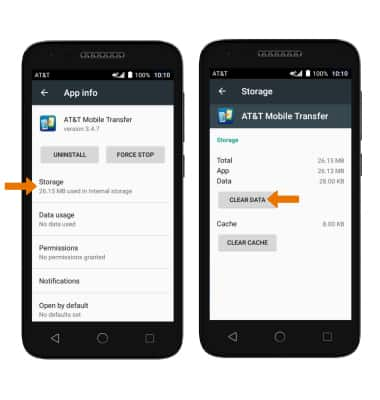
- CLEAR APP DATA: From the App info screen, select Storage then select CLEAR DATA.
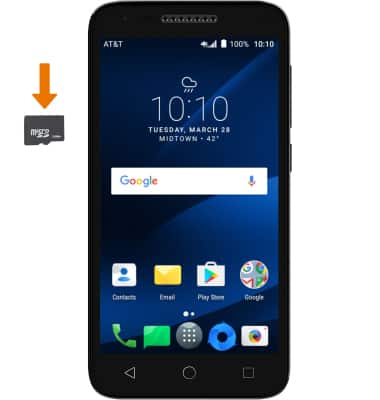
- ADDITIONAL STORAGE: Purchase an SD card or download a cloud storage app.
Available Memory
Alcatel IdealXCITE / CAMEOX (5044R)
Available Memory
Check the available device storage.
INSTRUCTIONS & INFO