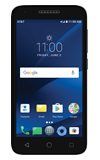
- To turn Airplane mode on, select and hold the Power/lock button, then select Airplane mode.
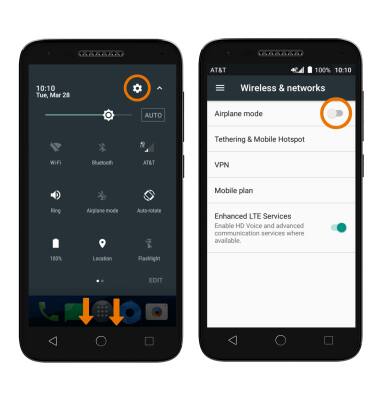
Note: To quickly turn Airplane mode on or off, swipe down from the Notification bar with two fingers, then select the Airplane mode icon.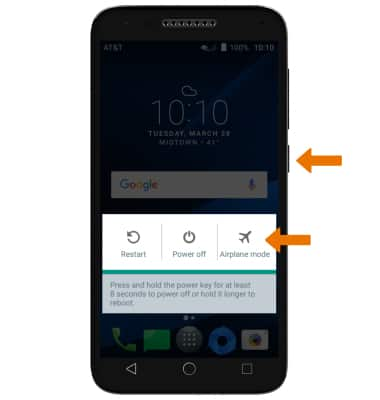
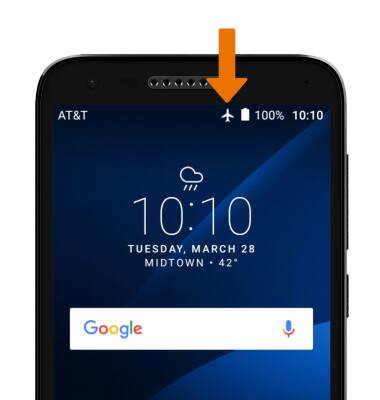
- The Airplane mode icon will be displayed in the Notification bar when turned on.
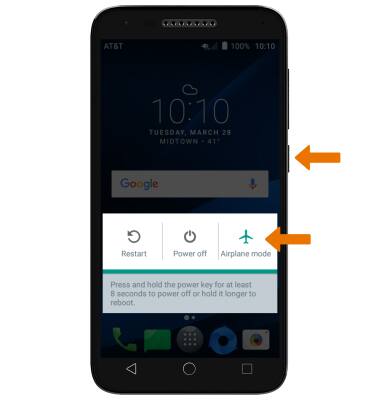
- To turn Airplane mode off, select and hold the Power/lock button, then select Airplane mode.
- TURN AIRPLANE MODE ON OR OFF VIA SETTINGS: Swipe down from the Notification bar with two fingers > select the Settings icon > select More > Airplane mode switch.
Airplane Mode
Alcatel IdealXCITE / CAMEOX (5044R)
Airplane Mode
Airplane Mode disables all wireless services (calls, data and text messages) on the device. Disable Airplane mode to restore regular functions.
INSTRUCTIONS & INFO