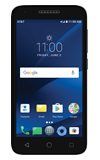
- ACCESS PLAY STORE: Select the Play Store app.
Note: For more information or support, please see the Google Play Help site.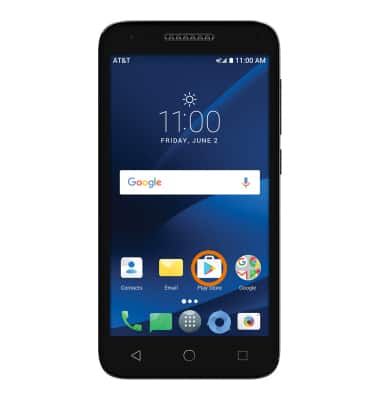
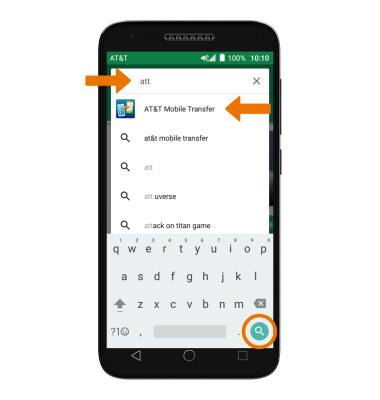
- DOWNLOAD AN APPLICATION: Select the Search field, enter the desired app name, then select a suggestion or the Search icon.
- Select the desired app, then select INSTALL.
Note: If prompted, review permissions and if you agree select Accept.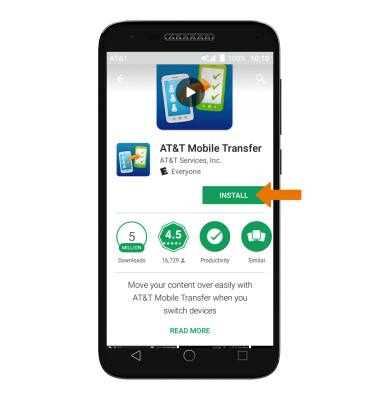
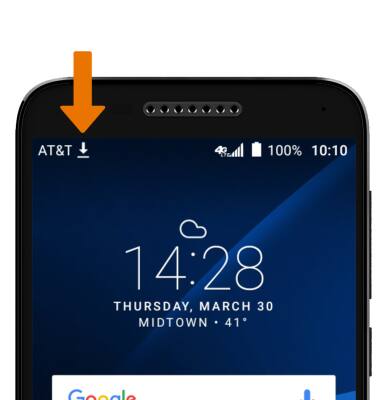
- The Downloading icon will appear in the Notification bar while content is downloading.
- OPEN AN APP: Select OPEN.
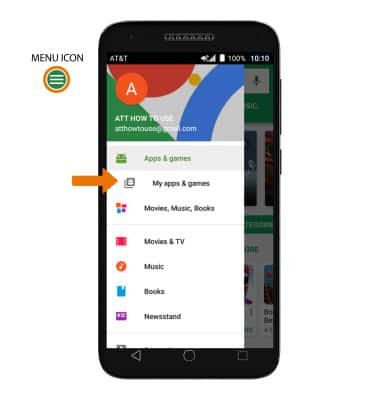
Note: Apps can be returned within 15 minutes of purchase. To return an app, from the Play Store select the Menu icon > My apps & games > select the desired app > REFUND > YES.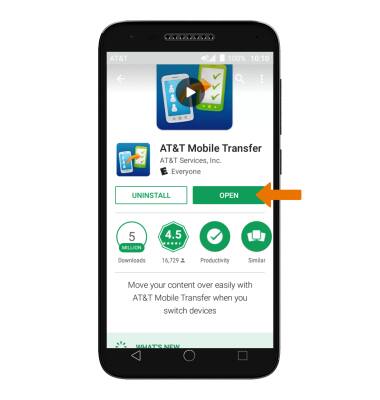
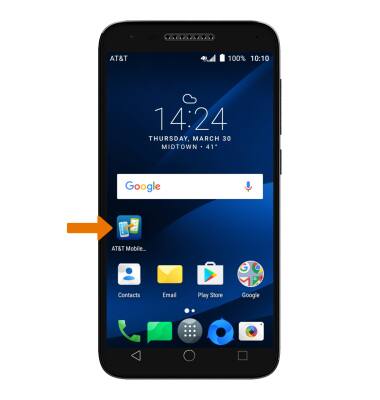
- New applications will automatically populate on your home screens.
- VIEW APP UPDATES: From the Play Store, select the Menu icon then select My apps & games.
- Select the desired app you would like to update, then select UPDATE.
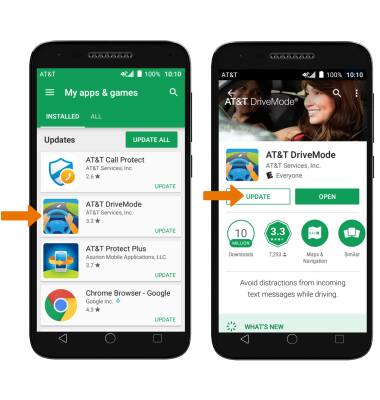
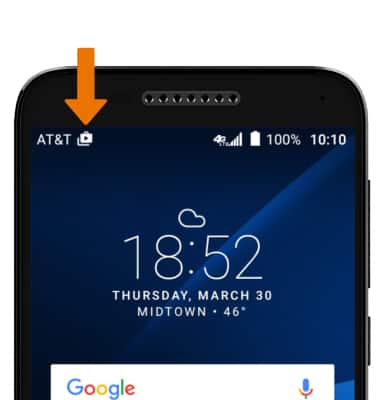
- The Update icon will appear in the Notification bar when an app update is available.
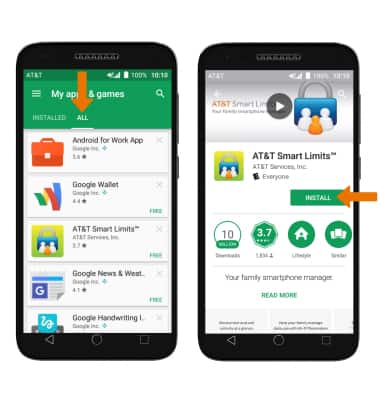
- REINSTALL AN APP: Select the ALL tab from My apps & games, then select the desired app. Select INSTALL, then follow the on-screen prompts.
Download Apps & Games
Alcatel IdealXCITE / CAMEOX (5044R)
Download Apps & Games
Download/return/update/reinstall apps, games, music, movies, and more using Play Store.
Download Apps & Games
Download apps, games, movies, music, books, magazine, newspapers and more.
Download Apps & Games
1:23
INSTRUCTIONS & INFO