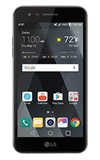
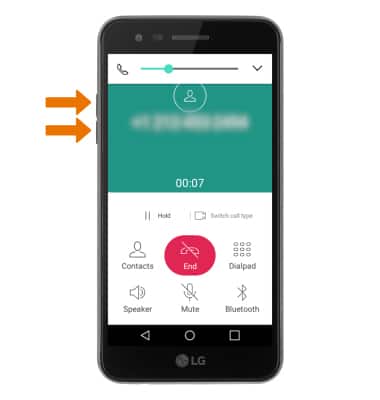
- ADJUST VOLUME: Press the Volume buttons to adjust the device volume.
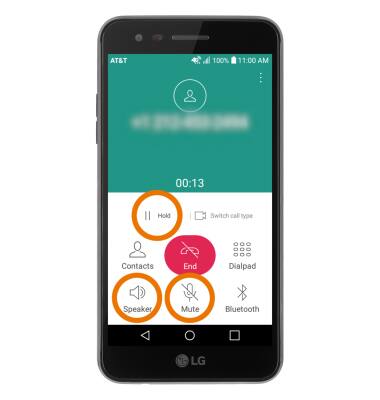
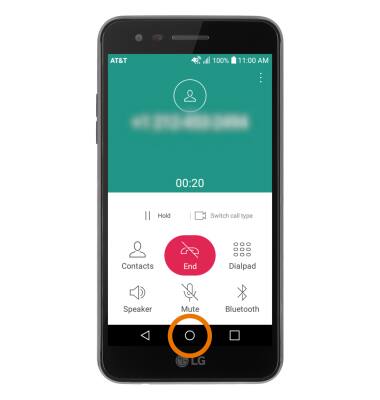
- ACCESS HOLD, MUTE OR SPEAKER PHONE: Select the desired icon.
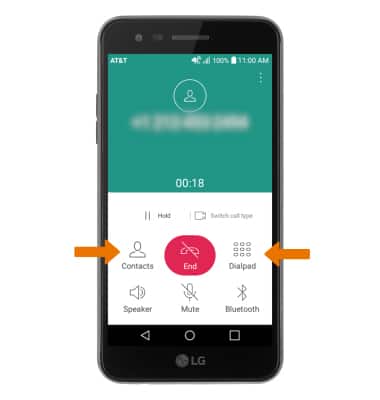
- ACCESS THE DIALPAD OR CONTACTS: Select the desired icon.
- ACCESS THE HOME SCREEN DURING A CALL: Select the Home key.
- RETURN TO AN ACTIVE CALL: Select the Phone icon below the Notification bar.
Note: You can also return to an Active call by swiping down from the Notification bar, then selecting the Active call notification.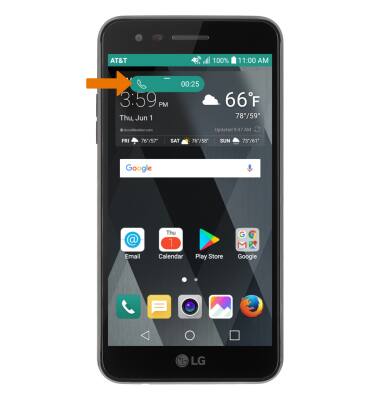
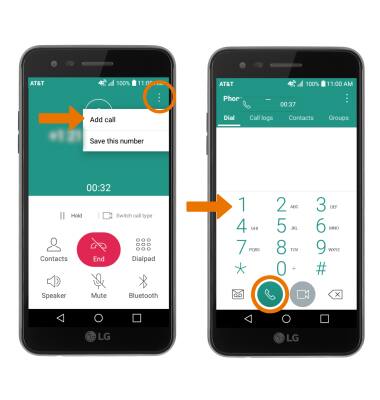
- ADD A CALL: Select the Menu icon, then select Add call. Dial the desired number, then select the Call icon.
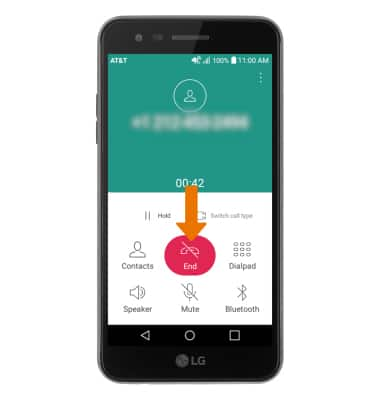
- END A CALL: Select the End call icon.
In-Call Options
LG Phoenix 3 (M150)
In-Call Options
Learn what features are available while on an active call.
INSTRUCTIONS & INFO