- ACCESS IN-CALL OPTIONS: While on an active call, select the desired icon. Select Mute to mute or unmute calls. Select Keypad to show or hide the Keypad. Select Hold to place a call on hold or resume a call.
Note: To make or receive calls from your tablet, you must update your device to the most current software version and set up NumberSync™. Speakerphone is enabled by default when a headset is not plugged in and cannot be turned off. If a headset is plugged in, select Headset to switch to speakerphone. Select Speaker to switch back to headset mode.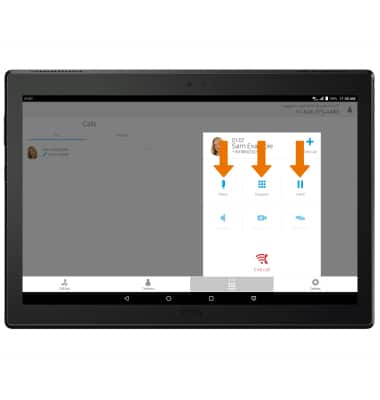
- ADJUST VOLUME: Press the Volume buttons to adjust the device volume.
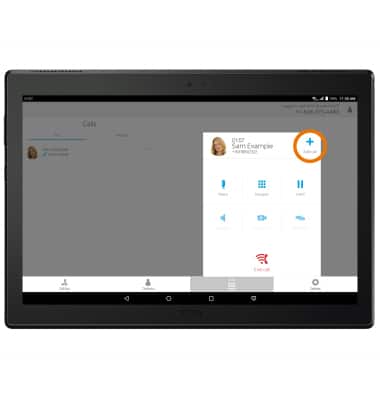
- ADD A CALL: Select Add call, then select the desired contact.
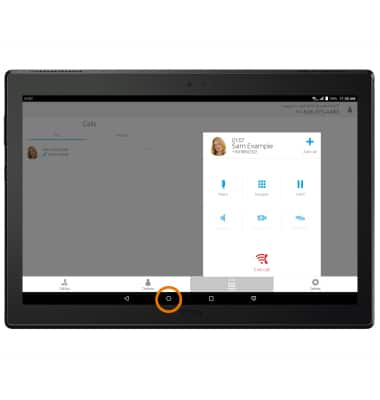
- ACCESS HOME SCREEN: Select the Home key.
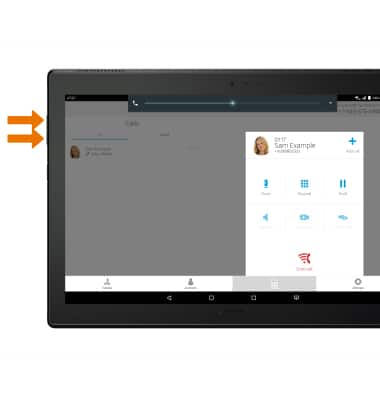
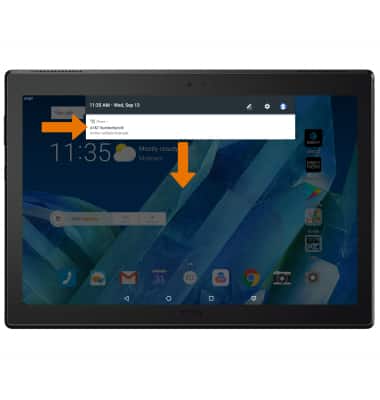
- RETURN TO CALL: Swipe down from the Notification bar, then select the Active call notification.
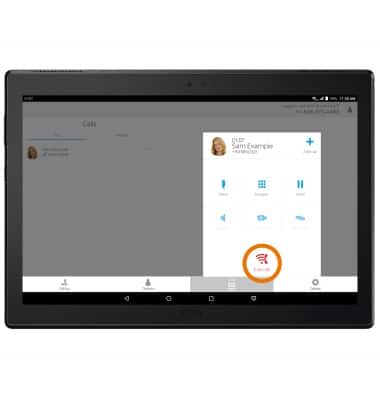
- END A CALL: Select End call.
In-Call Options
Lenovo moto tab (X704A)
In-Call Options
Learn what features are available while on an active call. Use your volume, hold, mute and speaker phone buttons; access your contacts, dialpad and home screen; return to an active call and end a call.
INSTRUCTIONS & INFO