
- From the home screen, tap Browser.

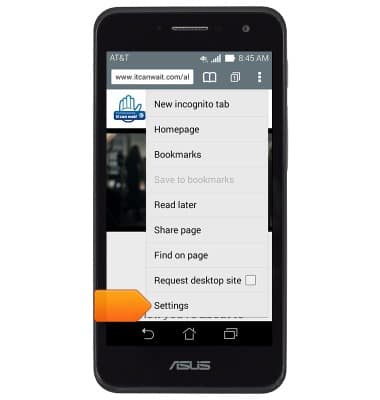
- Tap the Menu icon.

- Scroll to, then tap Settings.
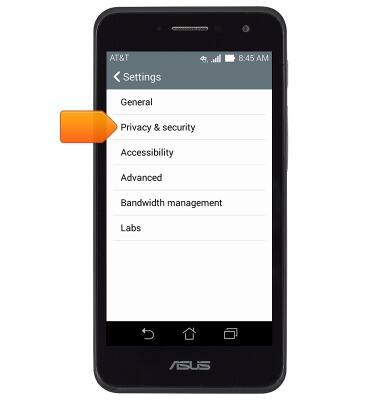
- To clear browsing history, tap Privacy & security.
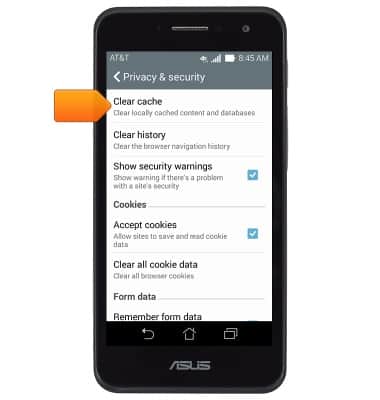
- Tap Clear cache.
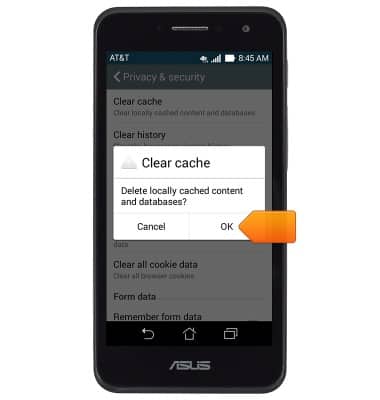
- Tap OK.
- Tap Clear history.
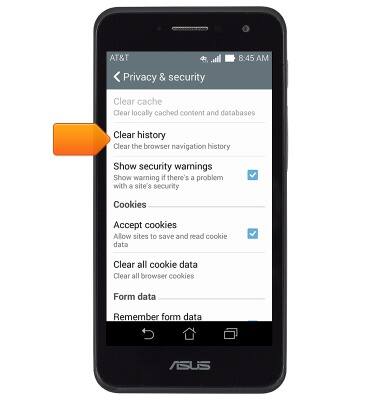
- Tap OK.

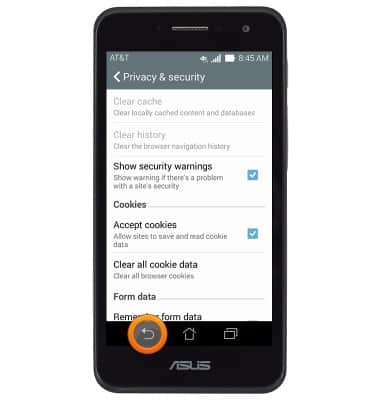
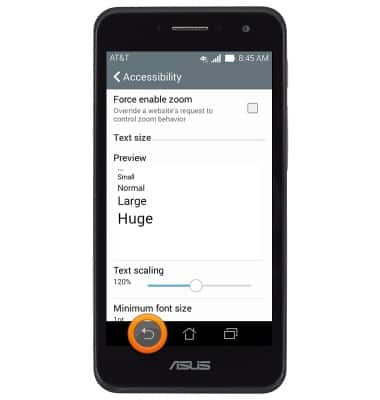
- To adjust text size, press the Back key.
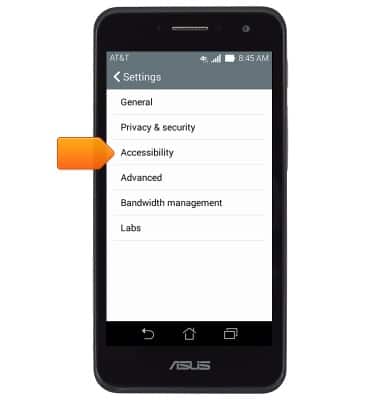
- Tap Accessibility.
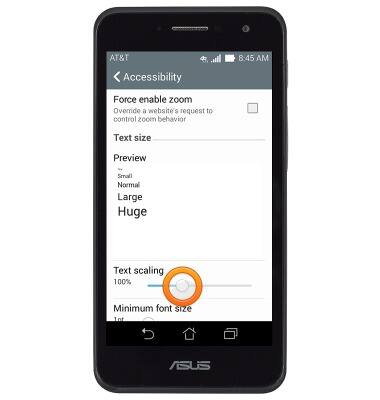
- Touch and drag the Text scaling slider to the desired level.
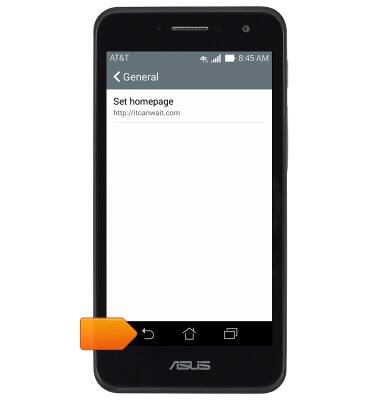
- To set the homepage, press the Back key.
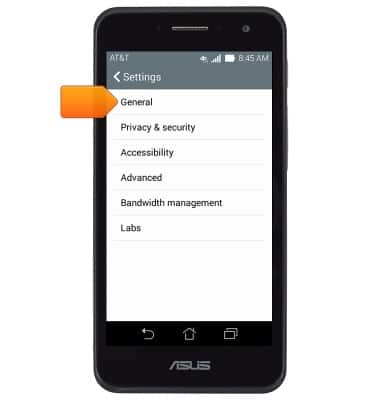
- Tap General.
- Tap Set homepage.

- Tap the desired option.
Note: For this demonstration, tap 'Other'.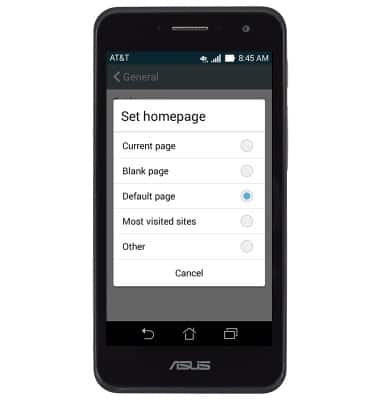
- Enter the desired URL, then tap OK.

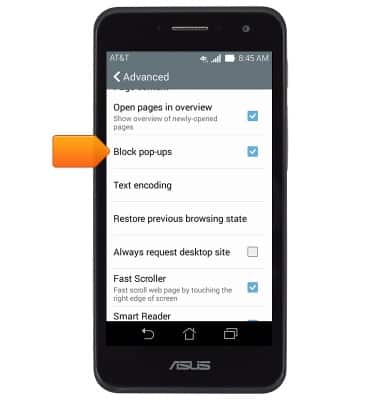
- To block or unblock pop-ups, press the Back key.
- Tap Advanced.
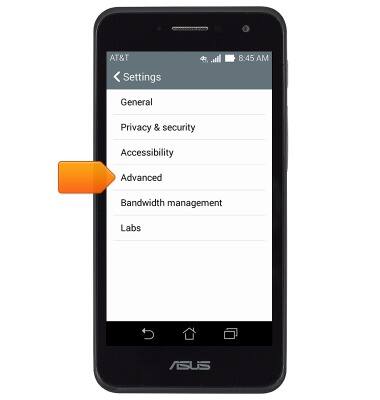
- Scroll to, then tap Block pop-ups.
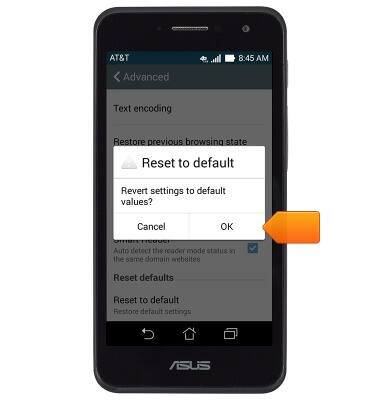
- To reset settings to default, scroll to, then tap Reset to default.

- Tap OK.
Browser options
ASUS PadFone X mini (T00S)
Browser options
Access browser settings to delete browser history, set the home page, and more.
INSTRUCTIONS & INFO