
- From the home screen, tap Apps.
Note: Visual Voicemail must be set up previously for this process to work.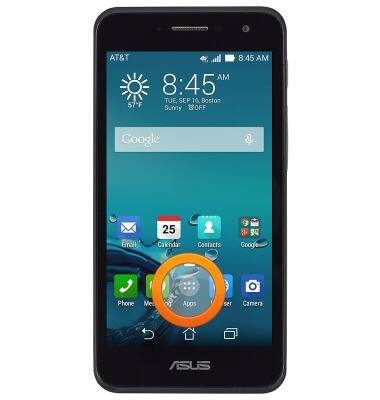
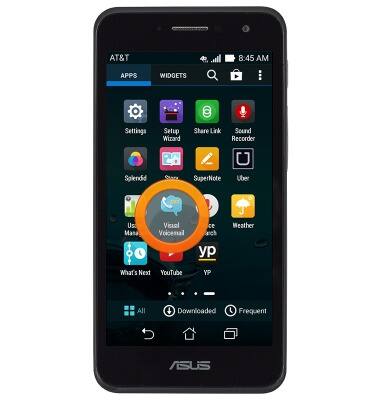
- Swipe to, then tap Visual Voicemail.
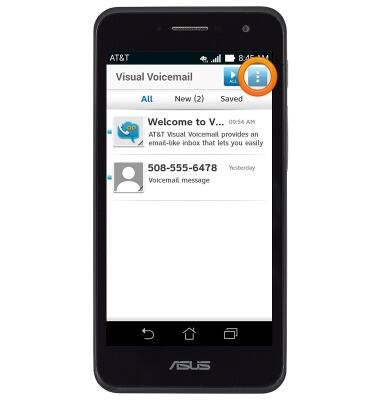
- Tap the Menu icon.
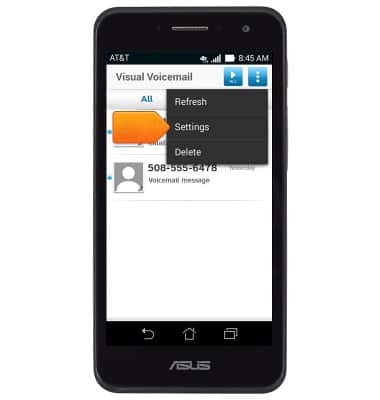
- Tap Settings.
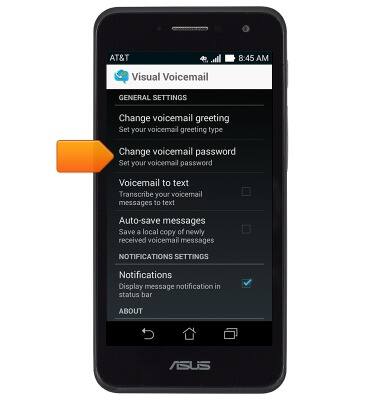
- Tap Change voicemail password.
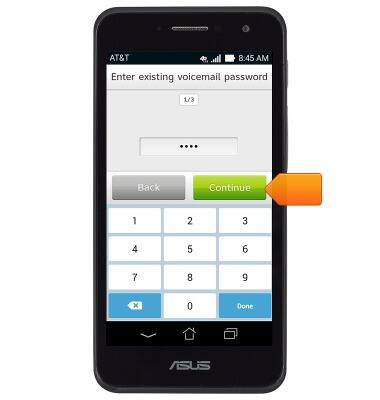
- Enter the current voicemail password, then tap Continue.
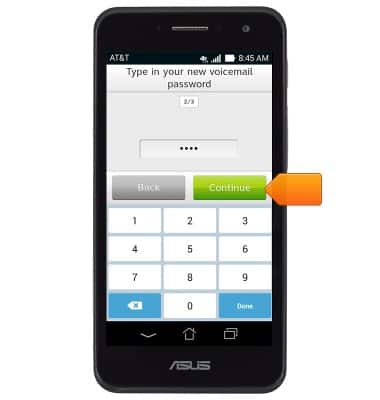
- Enter the new voicemail password, then tap Continue.
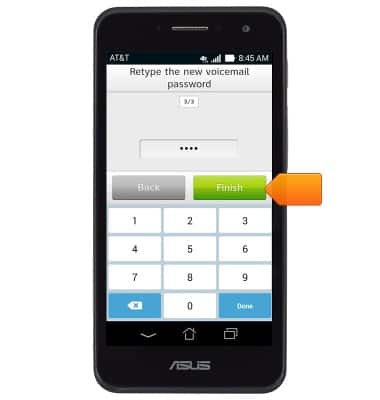
- Re-enter the new voicemail password, then tap Finish.
Change voicemail password
ASUS PadFone X mini (T00S)
Change voicemail password
This article describes how to change or reset the visual voicemail password.
INSTRUCTIONS & INFO