- From the home screen, tap Email.
Note: If an account has already been set up on the device, tap the Menu icon > Settings > Plus icon to add another account.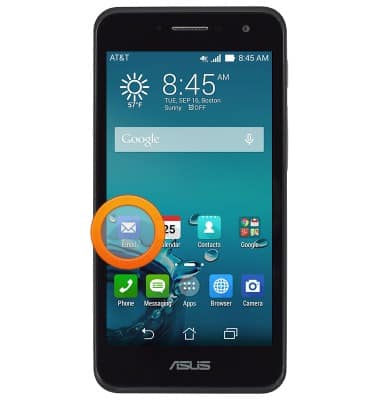
- Tap the desired option.
Note: For this demonstration, tap 'Gmail'.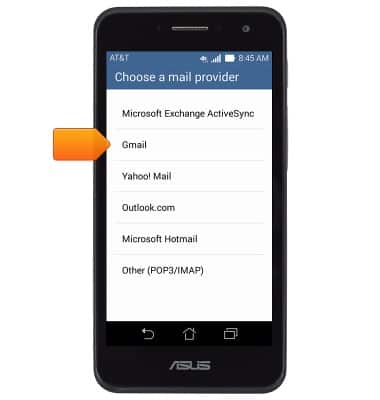
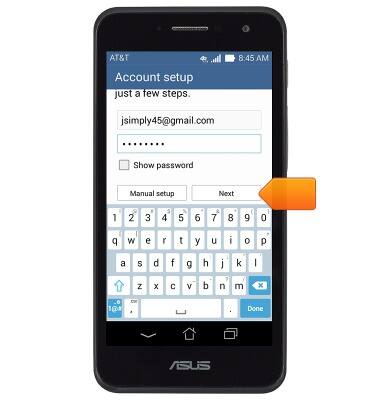
- Enter the desired email address, then tap the Password field.
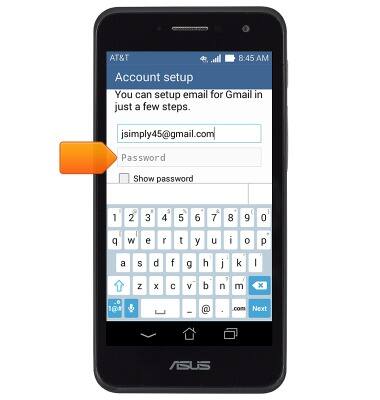
- Enter the required password, then tap Next.
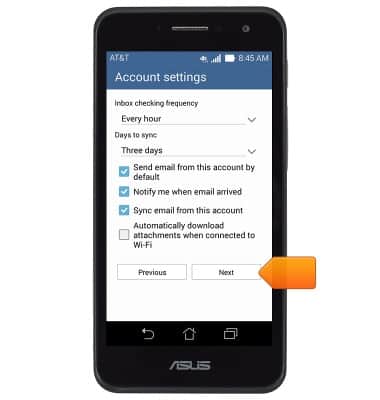
- Adjust settings as desired, then tap Next.
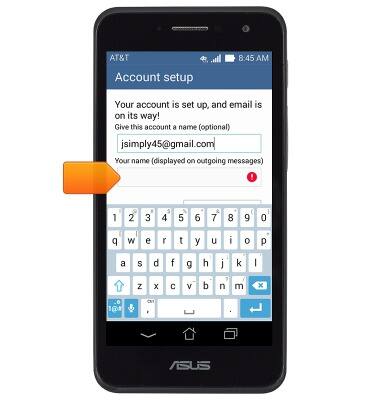
- If desired, rename the account, then tap the Your name field.
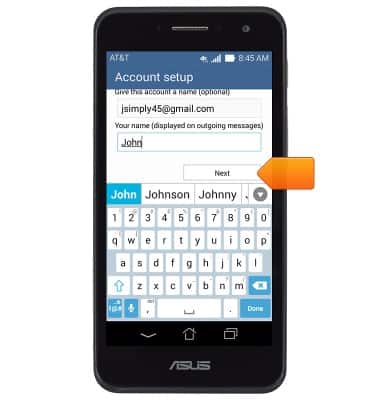
- Enter the desired name, then tap Next.
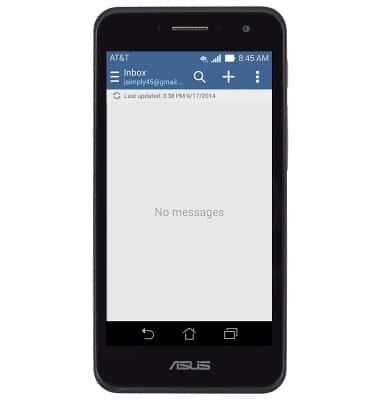
- Email is now ready for use.
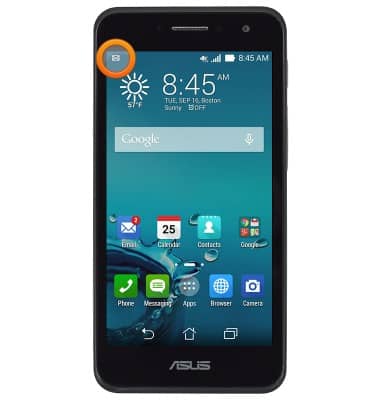
- When a new email is received, the New Mail icon will display in the Notifications bar.
Set up personal email
ASUS PadFone X mini (T00S)
Set up personal email
Add your personal email accounts so you can read and send email on your device.
INSTRUCTIONS & INFO