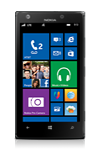
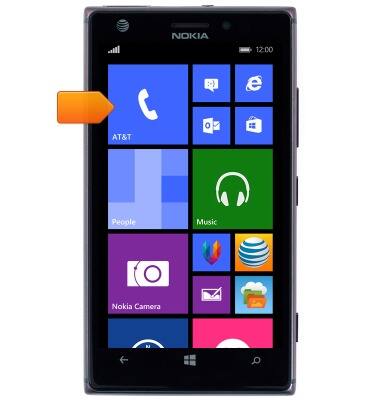
- From the Start screen, tap the Phone tile.
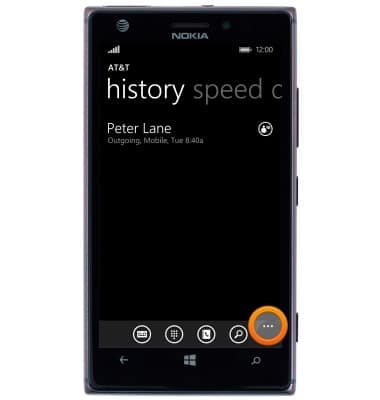
- Tap the Menu icon.
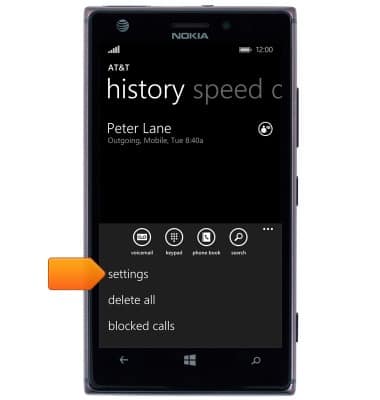
- Tap settings.
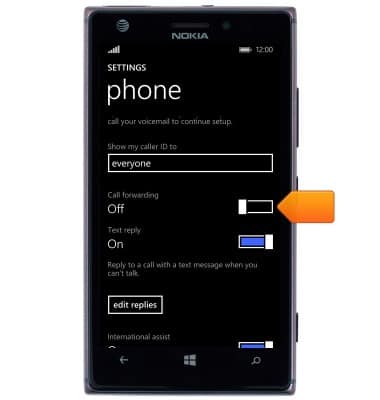
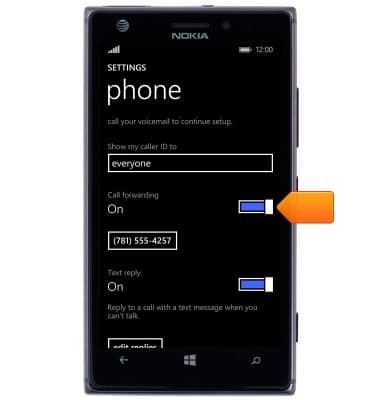
- Scroll to, then tap the Call forwarding switch.
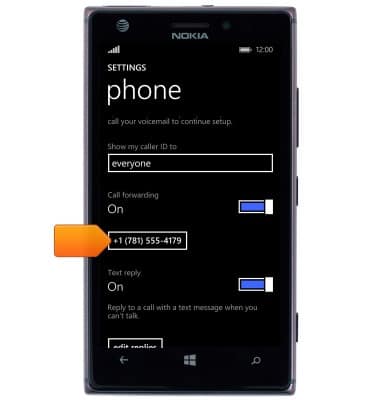
- Tap the Call forwarding number field.
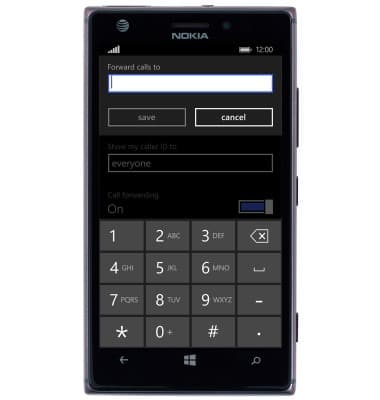
- Enter the desired call forwarding number.
- Tap save.
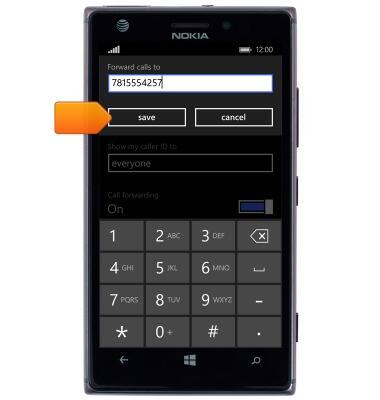
- Call forwarding is now enabled. Tap the Call forwarding switch to toggle on/off.
Call forwarding
Nokia Lumia 925
Call forwarding
Learn how to manage call forwarding from your device.
INSTRUCTIONS & INFO