
- From the home screen, press the Right Soft Key.
Note: This feature is not available in Breeze Mode. To access Breeze Mode, Press menu > Settings > Phone Mode > Breeze Mode.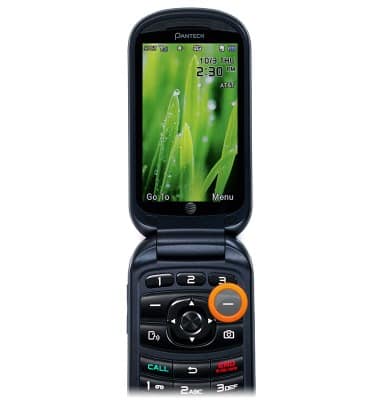
- Scroll to Settings, then press the Center Nav Key.
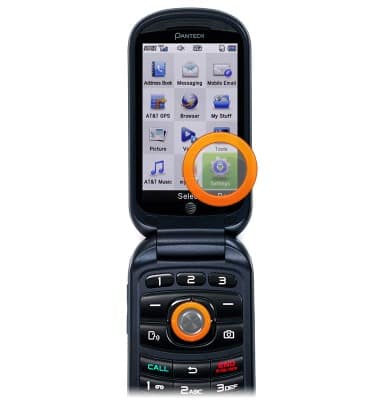
- Scroll to Phone, then press the Center Nav Key.
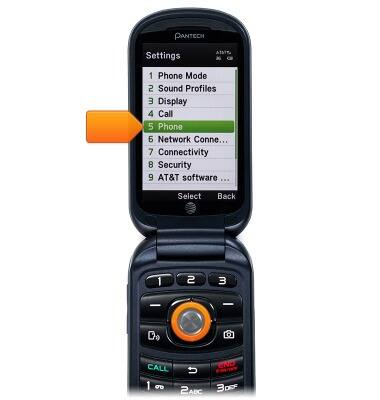
- Scroll to Time & Date, then press the Center Nav Key.
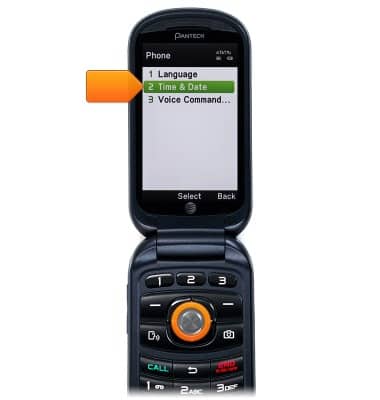
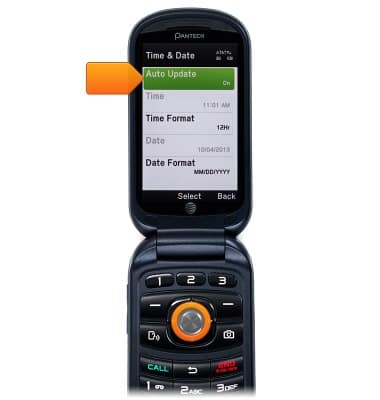
- Scroll to Auto Update, then press the Central Nav Key.
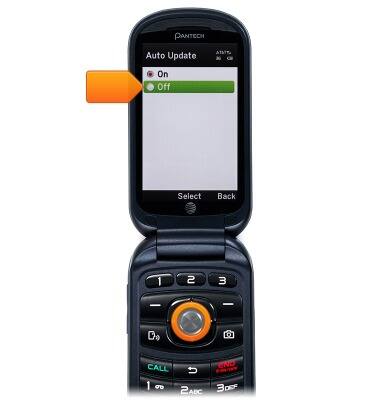
- Scroll to Off, then press the Center Nav Key.
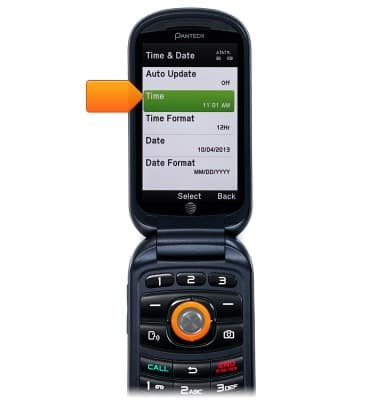
- Scroll to Time, then press the Center Nav Key.
- Use the keypad to enter the desired time.

- When done, press the Center Nav Key to save.

- Scroll to Date, then press the Center Nav Key.

- Use the keypad to enter the desired date.

- Press the Center Nav Key.

Date & time
Pantech Breeze IV (P2050)
Date & time
Set the date & time.
INSTRUCTIONS & INFO